Week 10: ETL Pipeline Orchestration with Prefect
DSAN 6000: Big Data and Cloud Computing
Fall 2026
Pipelines for Triggered Execution
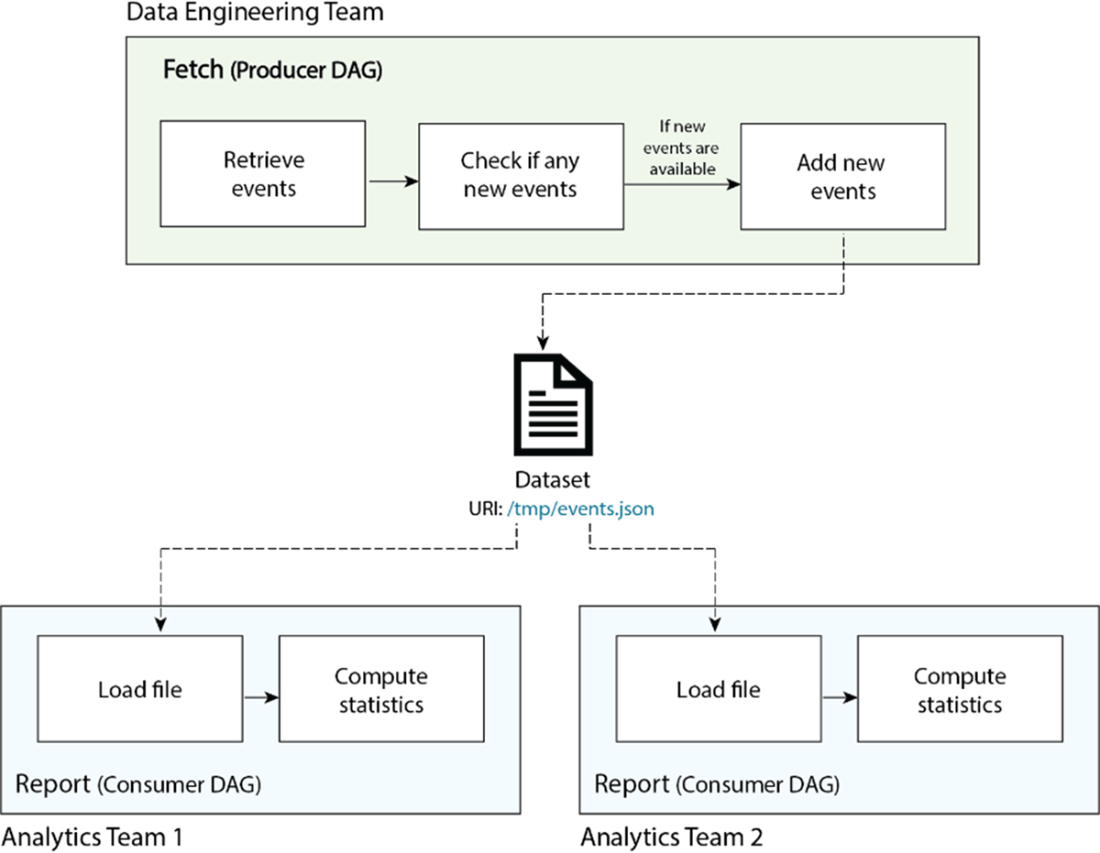
…HEY! WAKE UP! NEW DATA JUST CAME IN!

You before this week:
- Sprint to your
.ipynband/or Spark cluster - Load, clean, process new data, manually, step-by-step
- Email update to boss

You after this week:
- Asset-aware pipeline automatically triggered
- Airflow orchestrates loading, cleaning, processing
EmailOperatorsends update

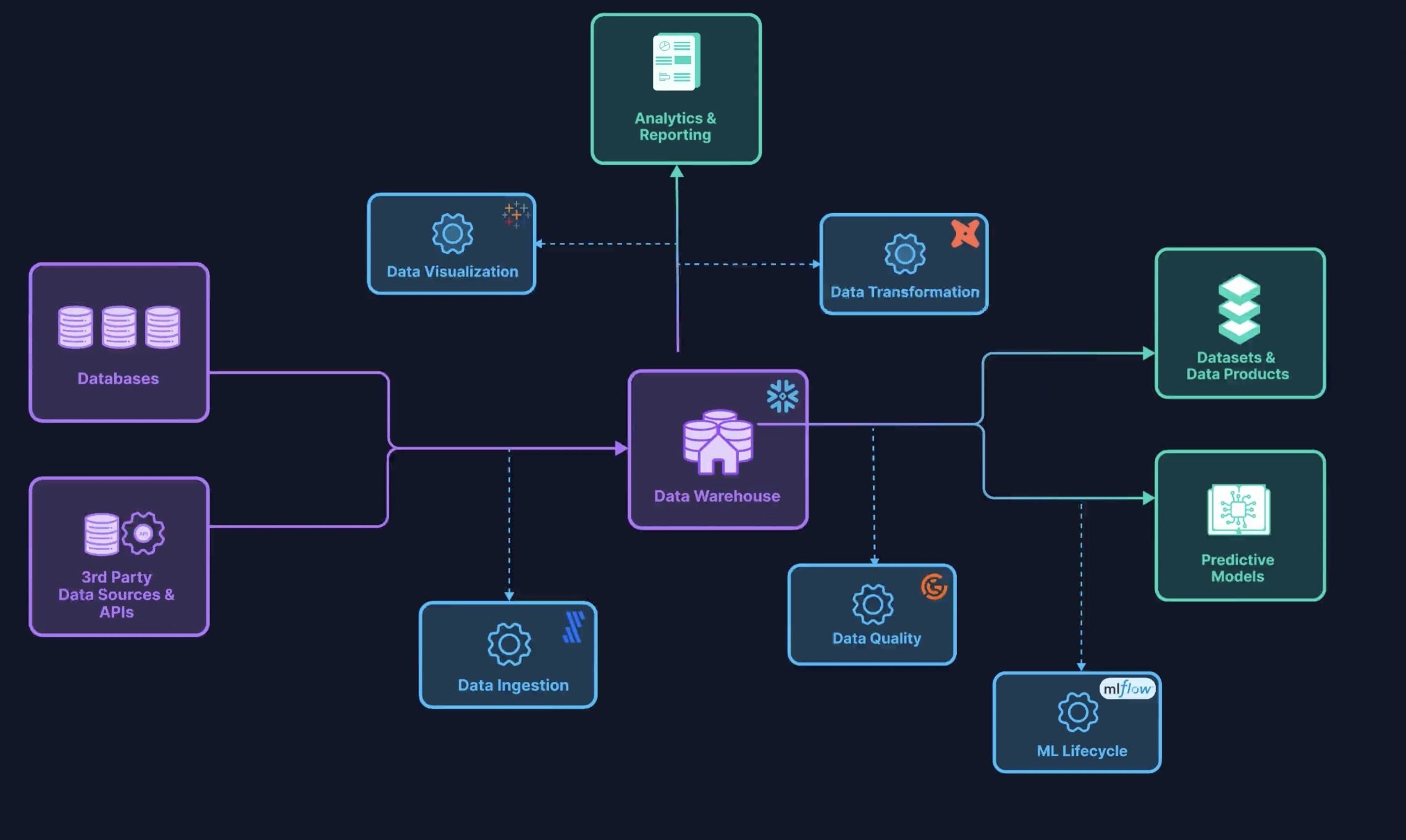
Pipelines vs. Pipeline Orchestration
Key Airflow-Specific Buzzwords
(Underlined words link to Airflow docs “Core Concepts” section)
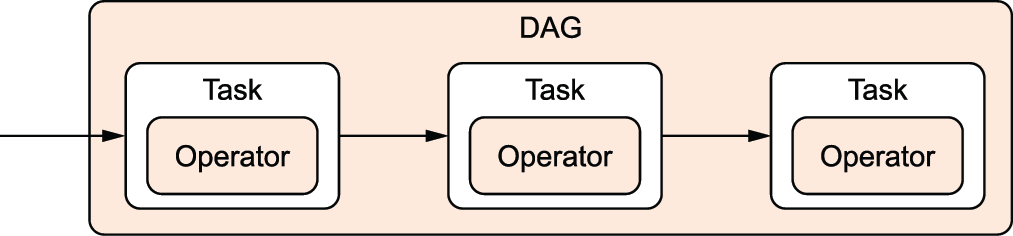
Directed Acyclic Graph (
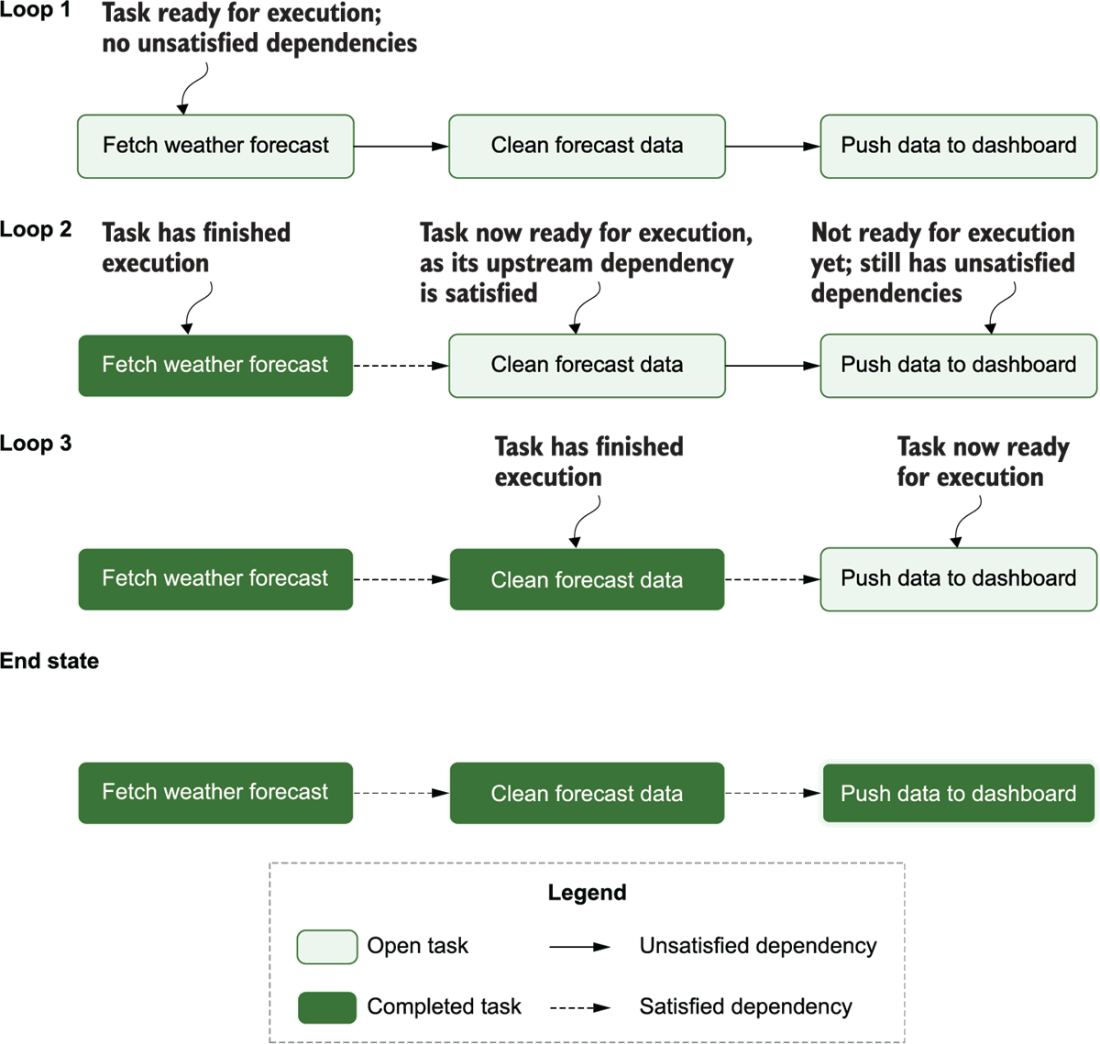
DAG): Your pipeline as a whole!DAGs consist of multipletasks, which you “string together” using the control flow operators>>and<<[Ex ]
second_task,third_taskcan’t start untilfirst_taskcompletes:first_task >> [second_task, third_task] # Equivalent to: first_task.set_downstream([second_task, third_task])[Ex ]
fourth_taskcan’t start untilthird_taskcompletes:fourth_task << third_task # Equivalent to: fourth_task.set_upstream(third_task)What kinds of
tasks can we create? Brings us to another concept…
Operators: What Kind of task?
- “Core”
Operators:BashOperatorandPythonOperator
- + Hundreds of “community provider”
Operators: HttpOperatorS3FileTransformOperatorSQLExecuteQueryOperatorEmailOperatorSlackAPIOperator
+ Jinja templating for managing how data “passes” from one step to the next:
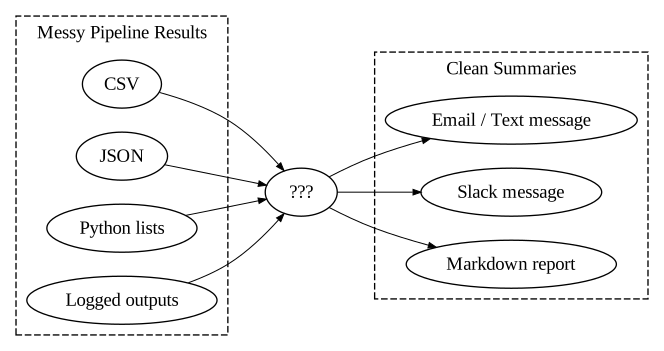
Task vs. Operator: A Sanity-Preserving Distinction
From Operator docs:
When we talk about a
Task, we mean the generic “unit of execution” of aDAG; when we talk about anOperator, we mean a [specific] pre-madeTasktemplate, whose logic is all done for you and that just needs some arguments.
Task:
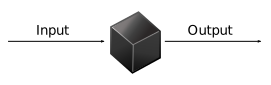
Operator:

Concepts \(\leadsto\) Code
start-airflow.sh
airflow db migrate
airflow api-server --port 8080
airflow scheduler
airflow dag-processor
airflow triggerer- Full Airflow “ecosystem” is running once you’ve started each piece via above (
bash) commands! - Let’s look at each in turn…
db migrate: The Airflow Metastore
start-airflow.sh
- General info used by DAGs: variables, connections, XComs
- Data about DAG and task runs (generated by scheduler)
- Logs / error information
- Not modified directly/manually! Managed by Airflow; To modify, use API Server →
API Server
start-airflow.sh
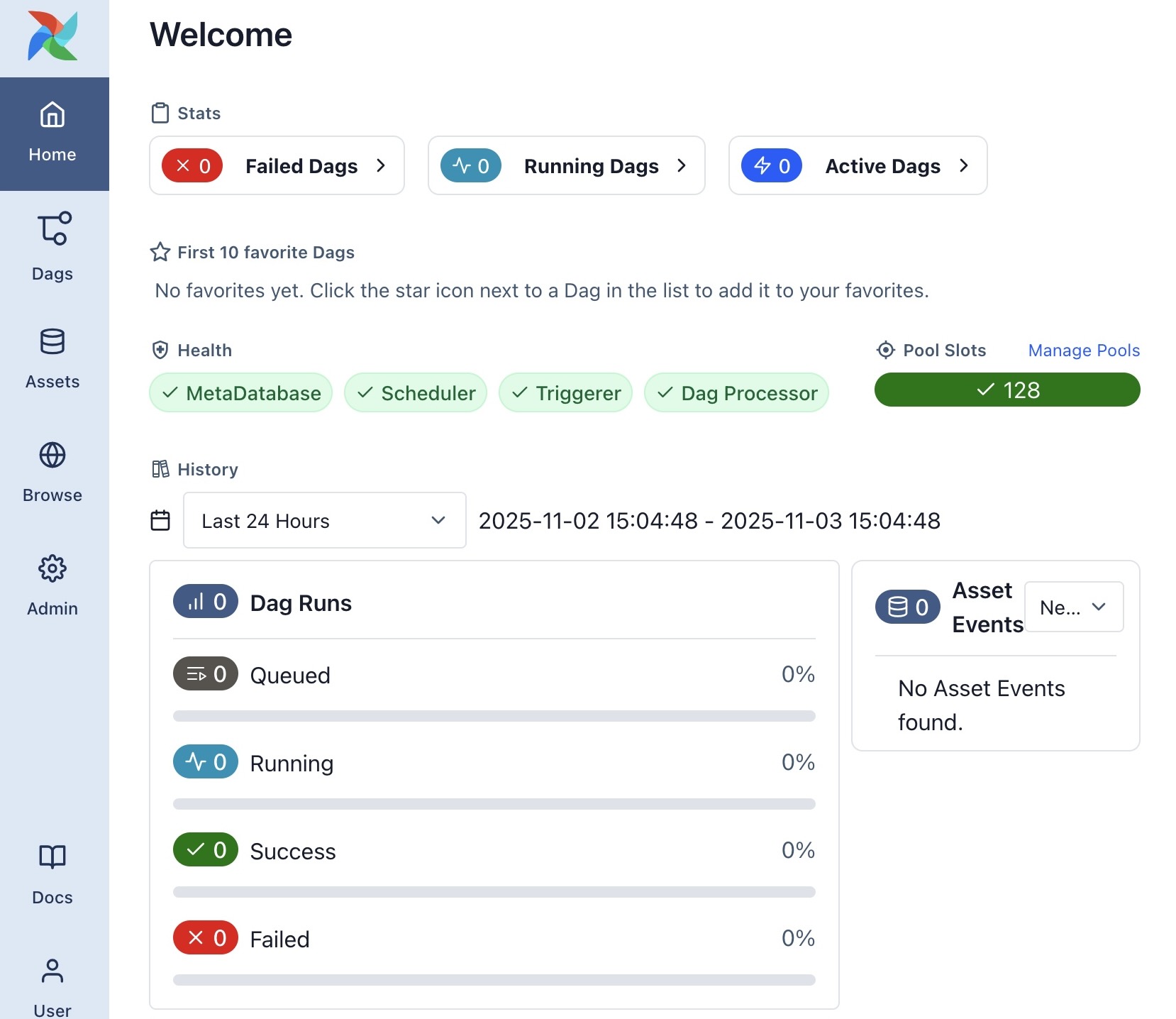
Web UI for managing Airflow (much more on this later!)
Default db migrate generates admin password in ~/simple_auth_manager_passwords.json.generated
Scheduler → Executor
start-airflow.sh
- Default:
LocalExecutor - For scaling:
EcsExecutor(AWS ECS),KubernetesExecutor - See also
SparkSubmitOperator
DAG Processor
start-airflow.sh
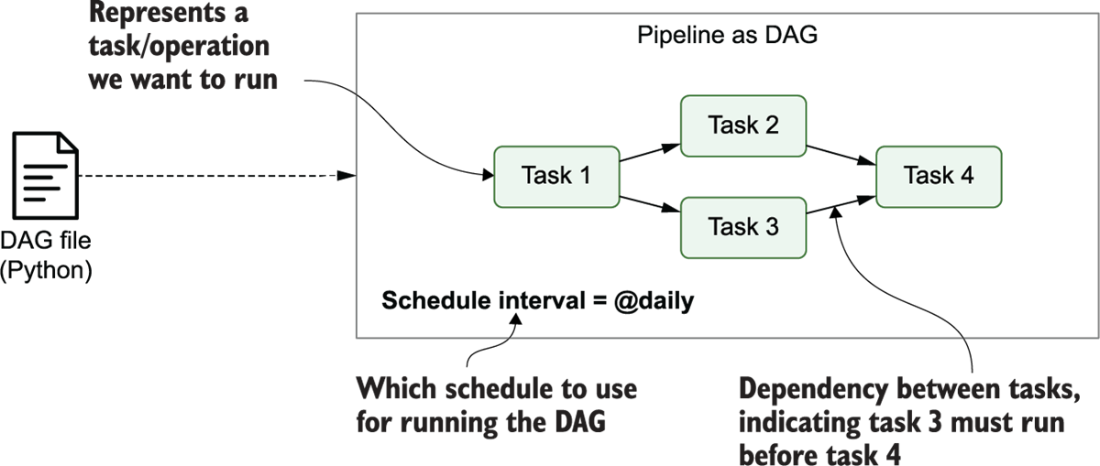
The schedule Argument
(Airflow uses pendulum under the hood, rather than datetime!)
dag_scheduling.py
from airflow.sdk import DAG
import pendulum
dag = DAG("regular_interval_cron_example", schedule="0 0 * * *", ...)
dag = DAG("regular_interval_cron_preset_example", schedule="@daily", ...)
dag = DAG("regular_interval_timedelta_example", schedule=pendulum.timedelta(days=1), ...)Cron: Full-on scheduling language (used by computers since 1975!)
crontab.sh
# ┌───────────── minute (0–59)
# │ ┌───────────── hour (0–23)
# │ │ ┌───────────── day of the month (1–31)
# │ │ │ ┌───────────── month (1–12)
# │ │ │ │ ┌───────────── day of the week (0–6) (Sunday to Saturday)
# │ │ │ │ │
# │ │ │ │ │
# │ │ │ │ │
# * * * * * <command to execute>
Cron Presets: None, "@once", "@continuous", "@hourly", "@daily", "@weekly"
External Service Integration
| Service | Command |
|---|---|
| AWS | pip install 'apache-airflow[amazon]' |
| Azure | pip install 'apache-airflow[microsoft-azure]' |
| Databricks | pip install 'apache-airflow[databricks]' |
| GitHub | pip install 'apache-airflow[github]' |
| Google Cloud | pip install 'apache-airflow[google]' |
| MongoDB | pip install 'apache-airflow[mongo]' |
| OpenAI | pip install 'apache-airflow[openai]' |
| Slack | pip install 'apache-airflow[slack]' |
| Spark | pip install 'apache-airflow[apache-spark]' |
| Tableau | pip install 'apache-airflow[tableau]' |
(And many more:)
Jinja Example
homepage.jinja
<h4>{{ me['name'] }}'s Favorite Hobbies</h4>
<ul>
{%- for hobby in hobbies %}
  <li>{{ hobby }}</li>
{%- endfor %}
</ul>render_jinja.py
from jinja2 import Template
tmpl = Template('homepage.jinja')
tmpl.render(
    me = {'name': 'Jeff'},
    hobbies = [
        'eat',
        'sleep',
        'attend to the proverbial bag'
    ]
)rendered.html
<h4>Jeff's Favorite Hobbies</h4>
<ul>
  <li>eat</li>
  <li>sleep</li>
  <li>attend to the proverbial bag</li>
</ul>
\(\leadsto\)
Jeff's Favorite Hobbies
- eat
- sleep
- attend to the proverbial bag
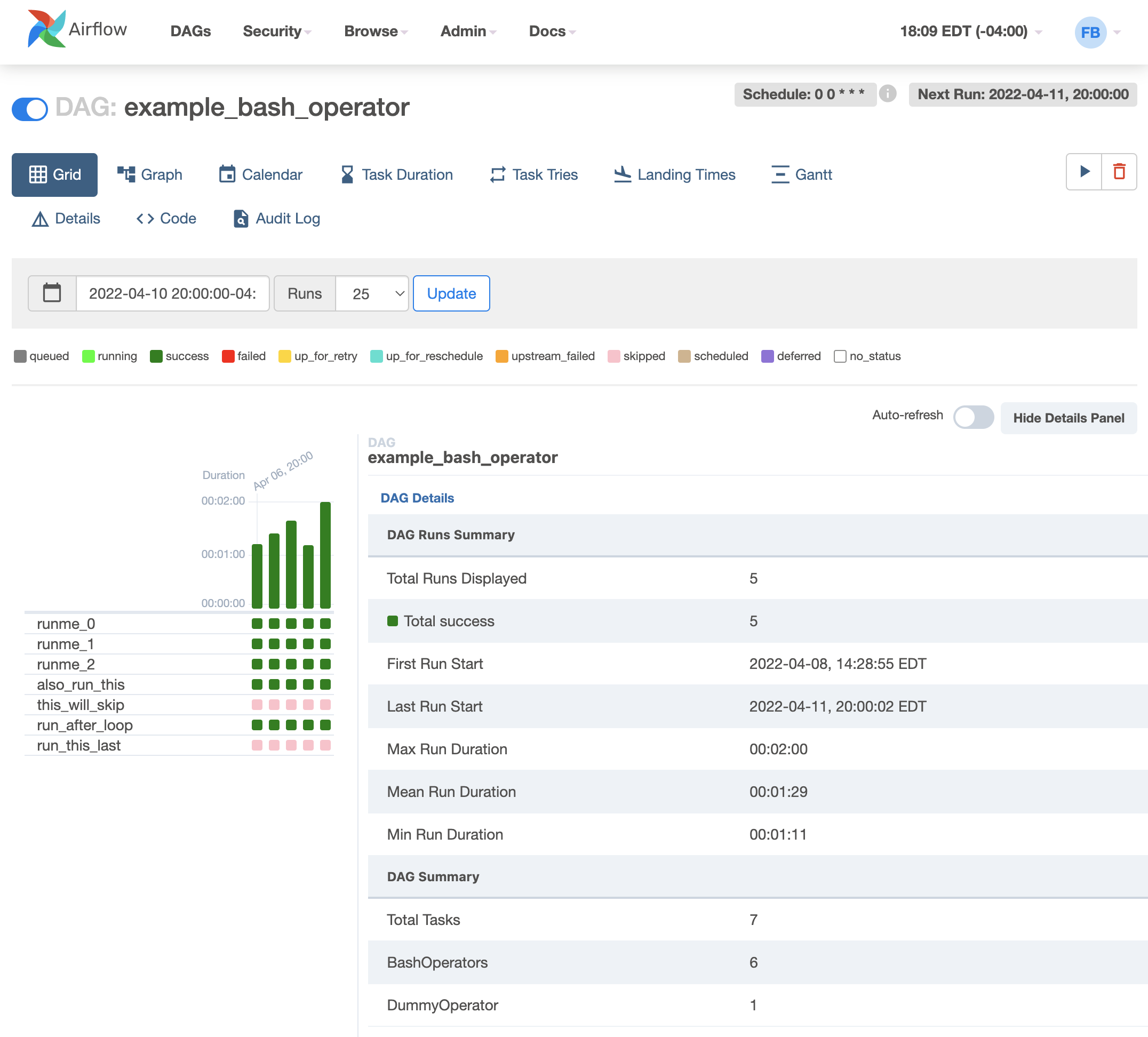
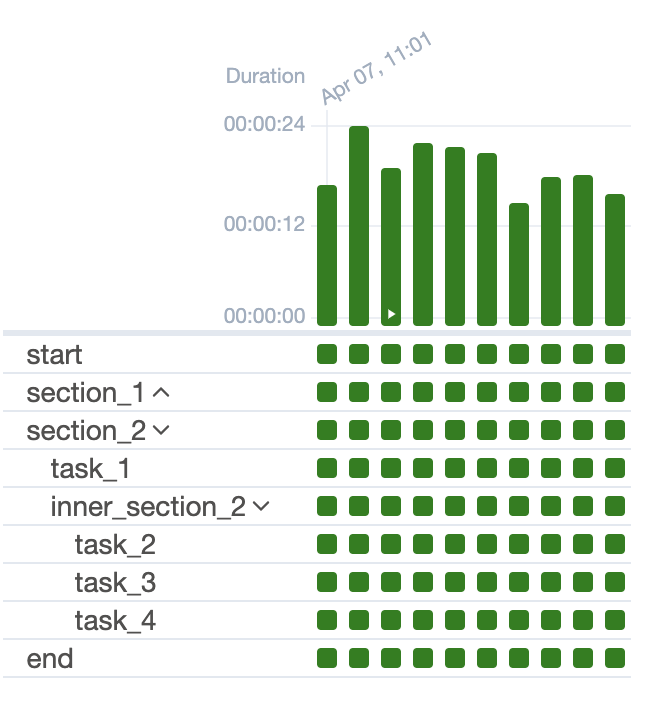
Airflow UI: Grid View
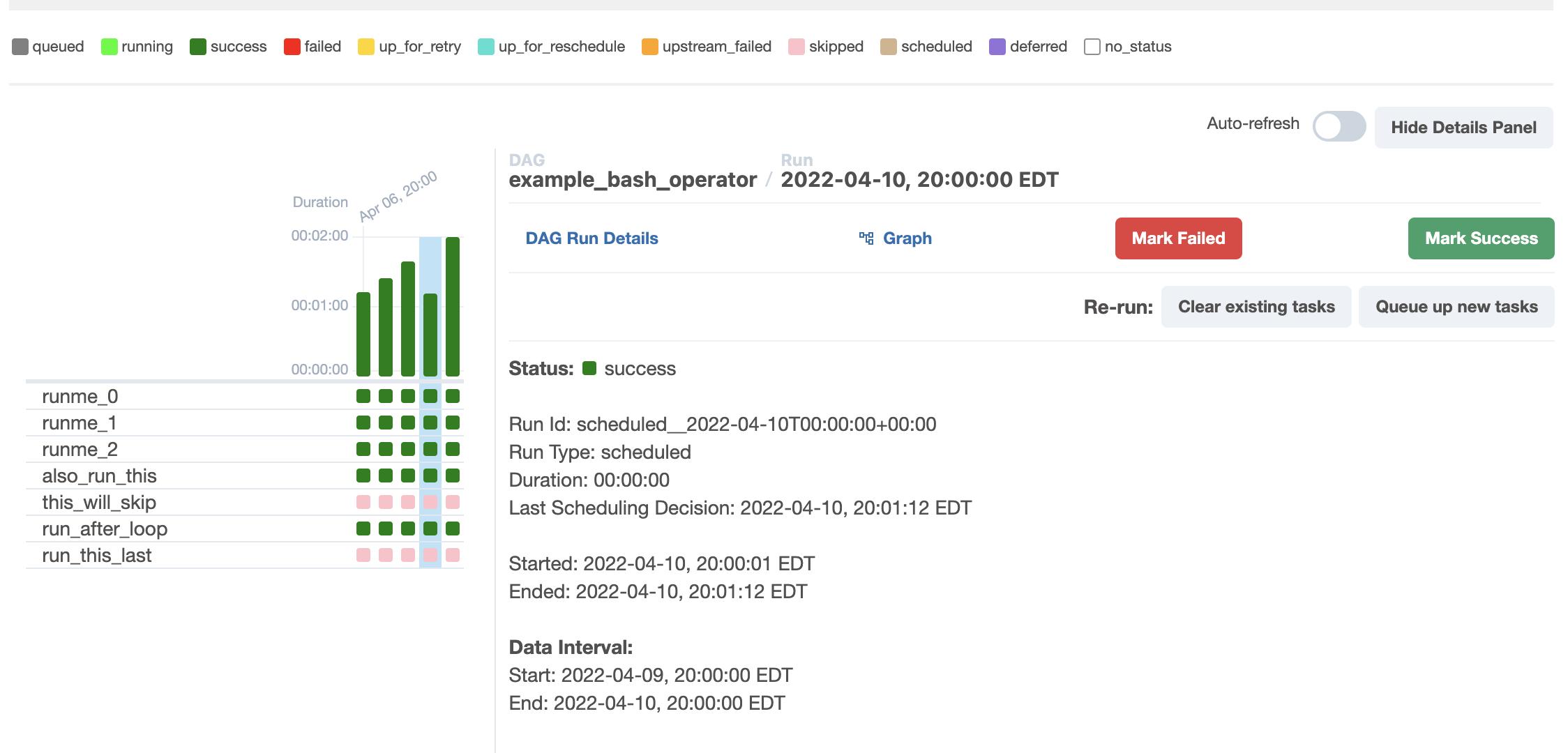
Airflow UI: Run Details
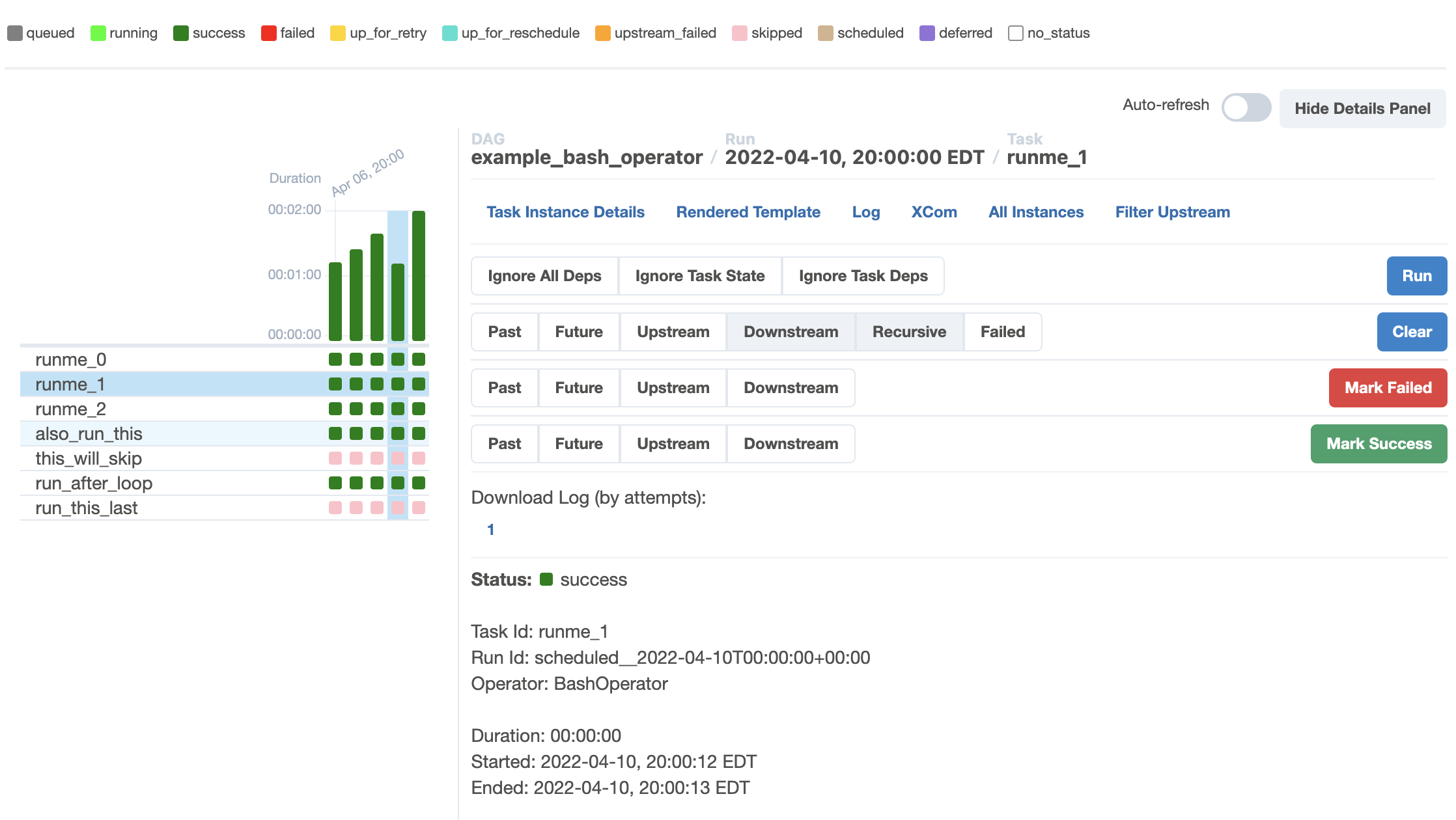
Airflow UI: Task Instance Details
Tasks → Task Groups
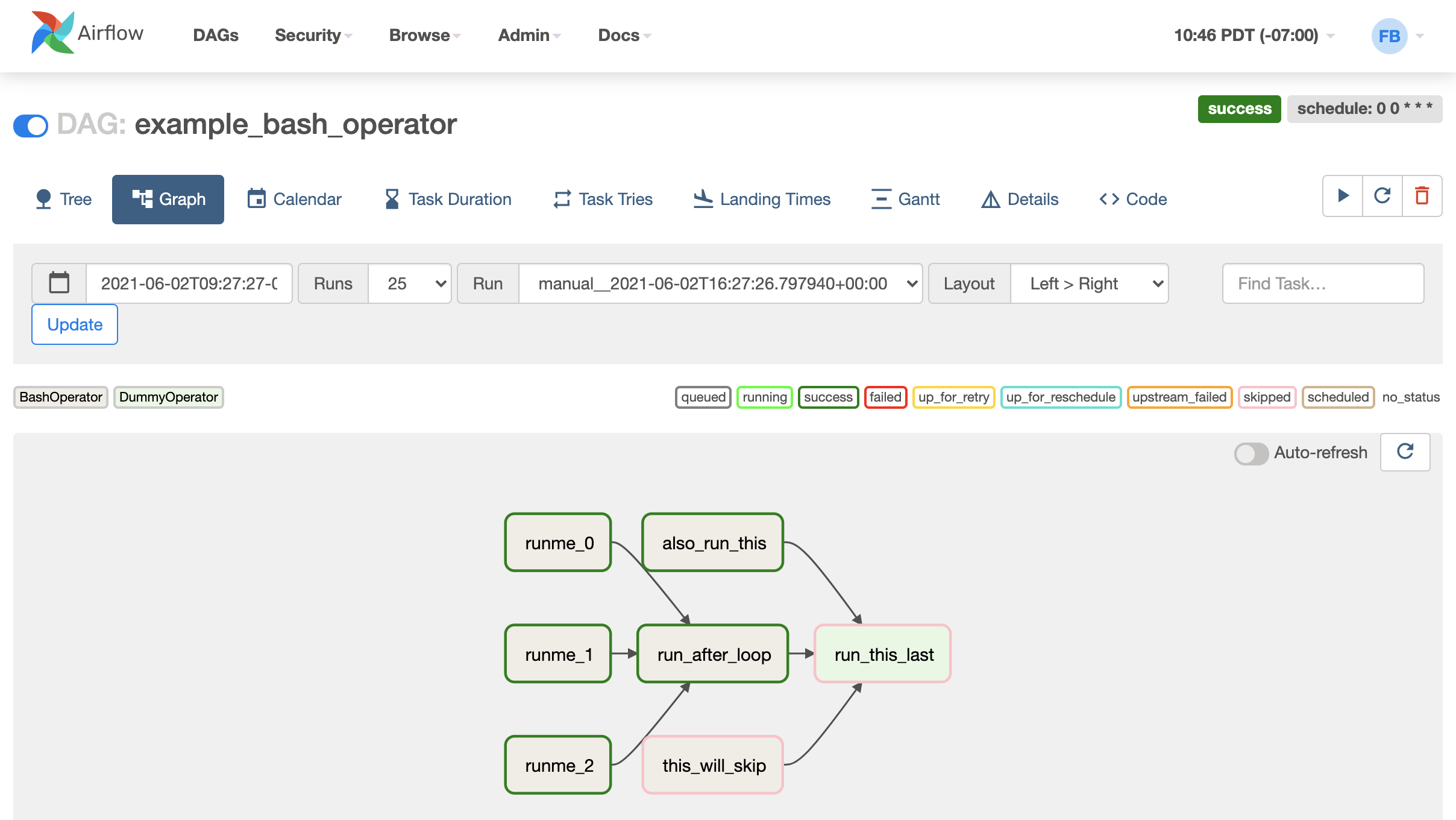
Graph View
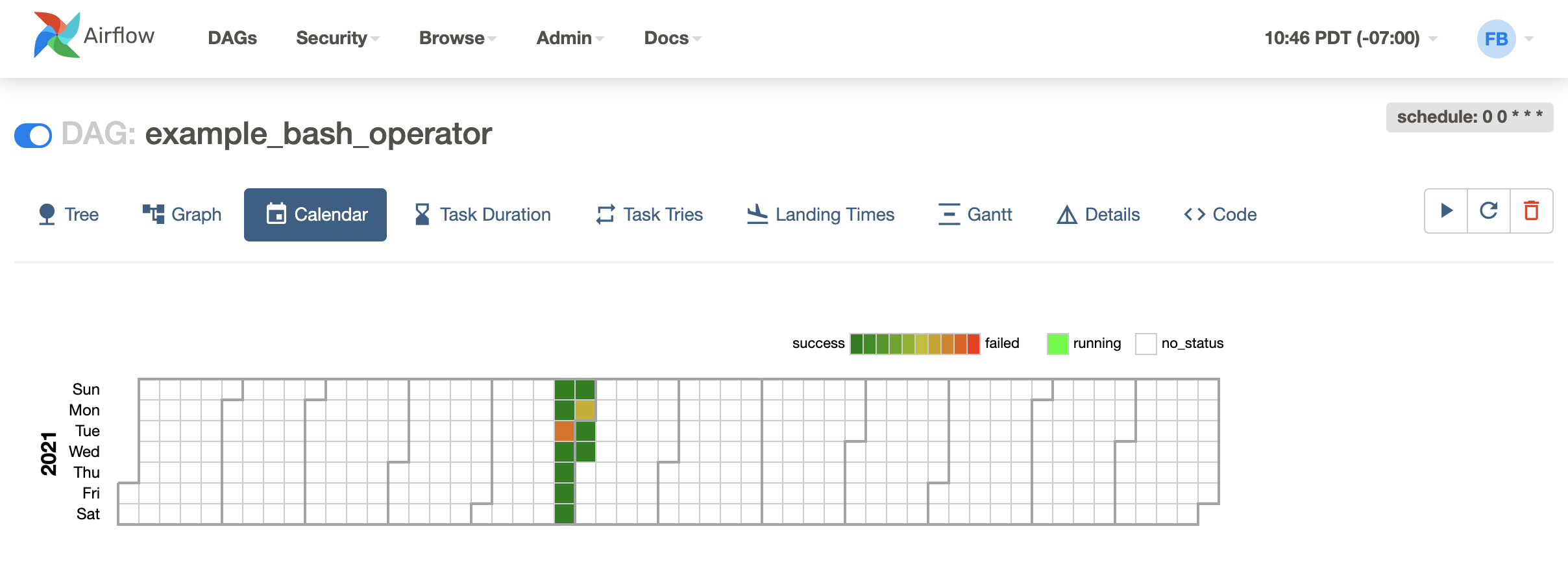
Calendar View
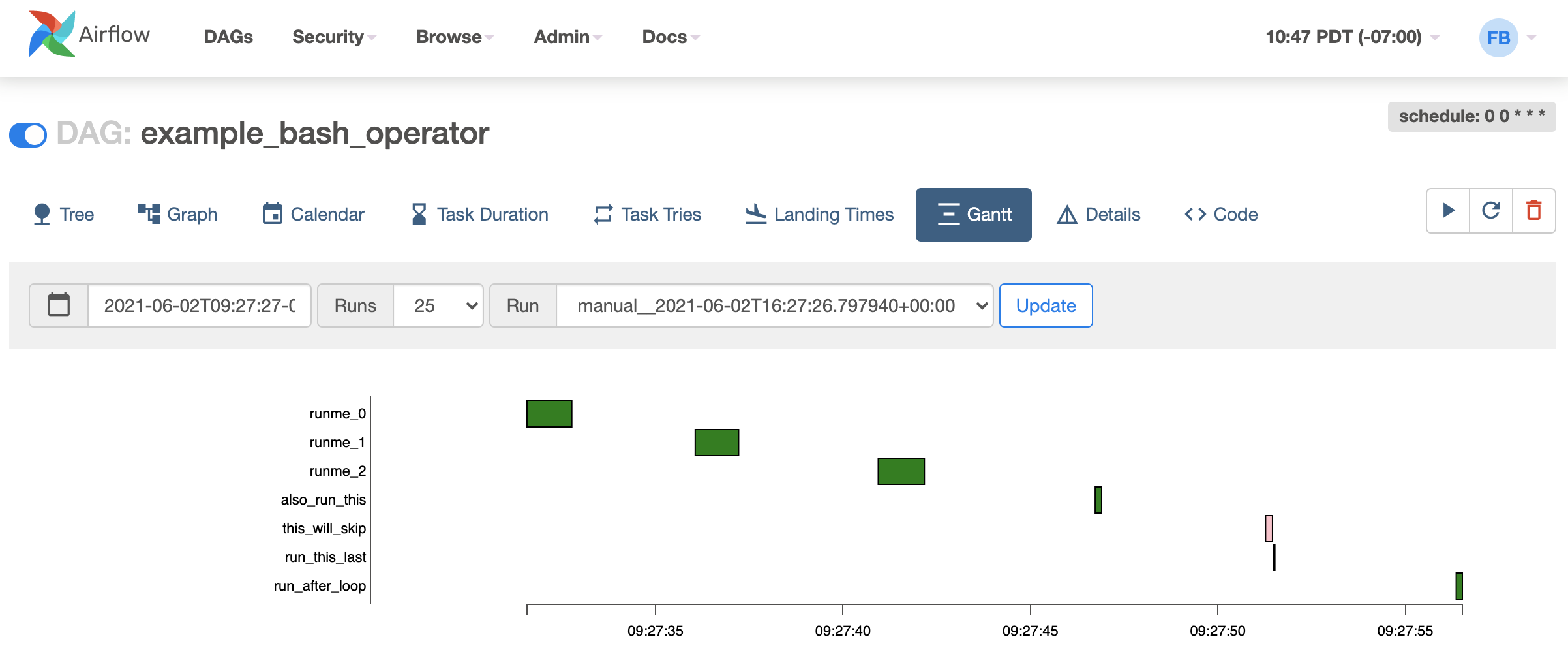
Gantt View
New Book: Up-To-Date (Airflow 3.0) Demos 🤓
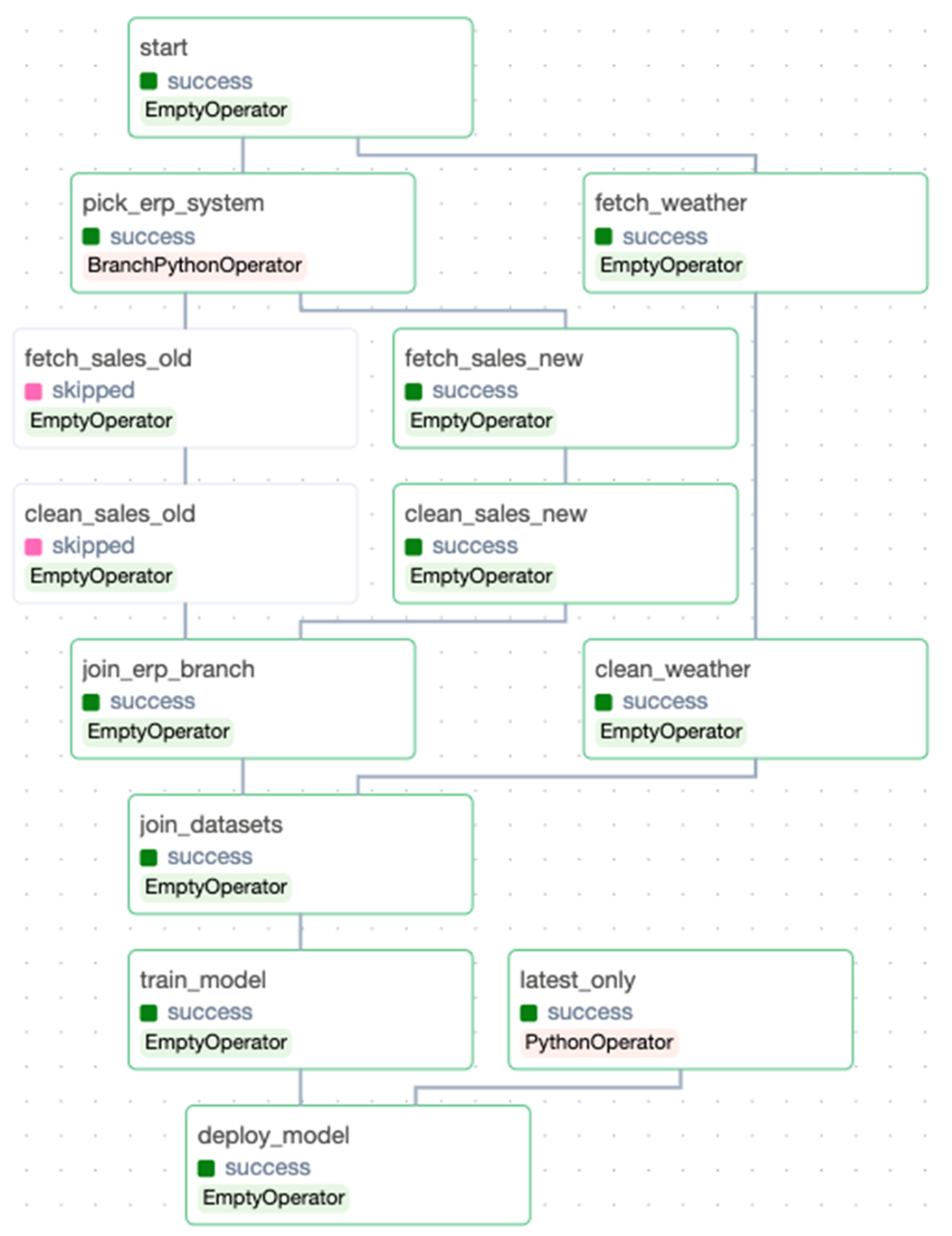
Conceptual Pipelines \(\leadsto\) DAGs
Main challenge: converting “intuitive” pipelines in our heads:
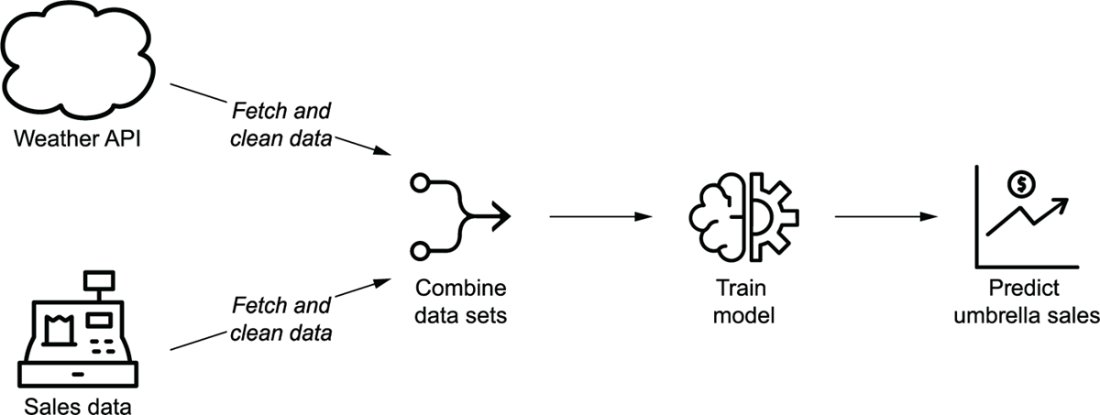
Into DAGs with concrete Tasks, dependencies, and triggers:

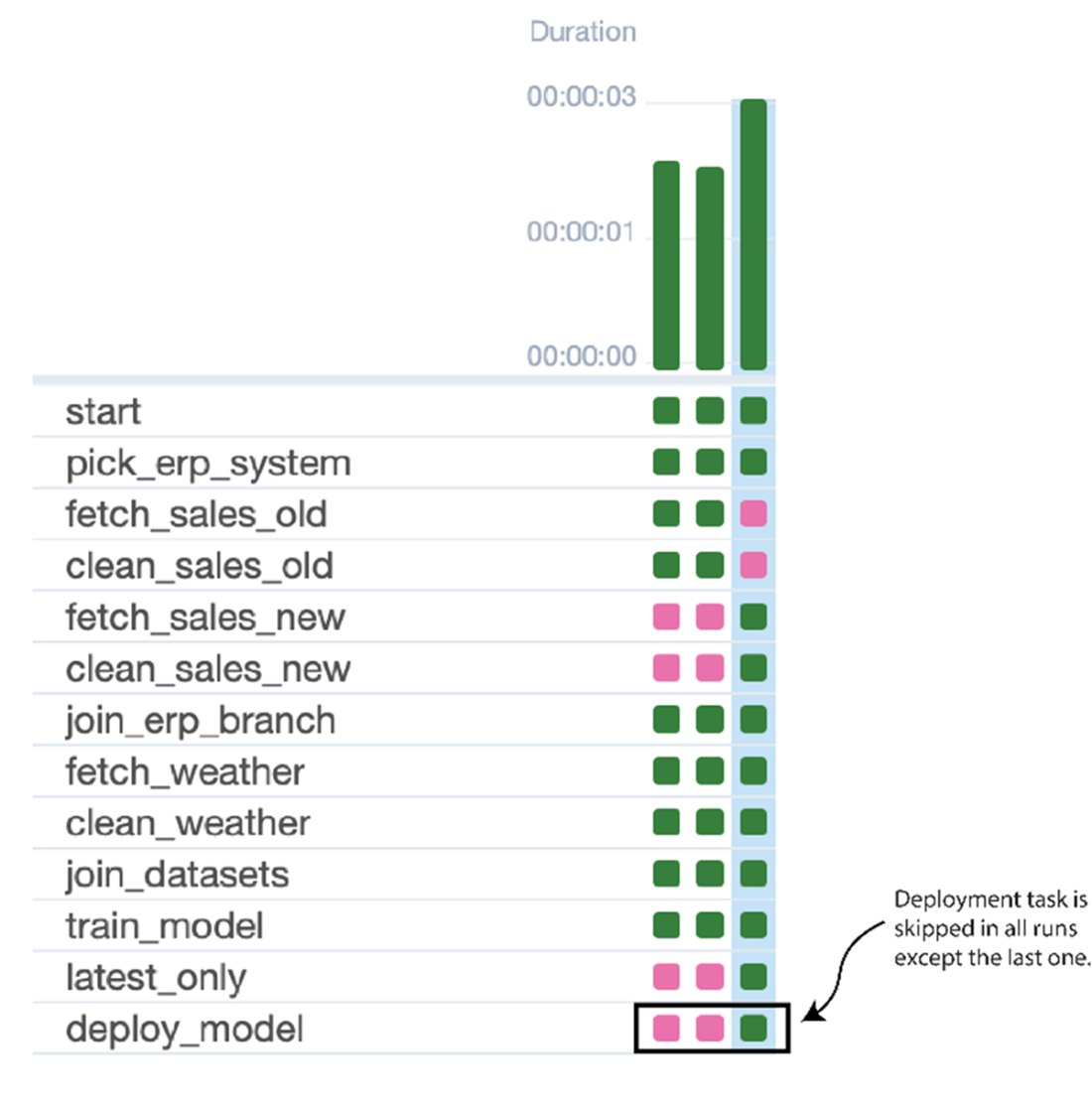
Implementation Detail 1: Backfilling
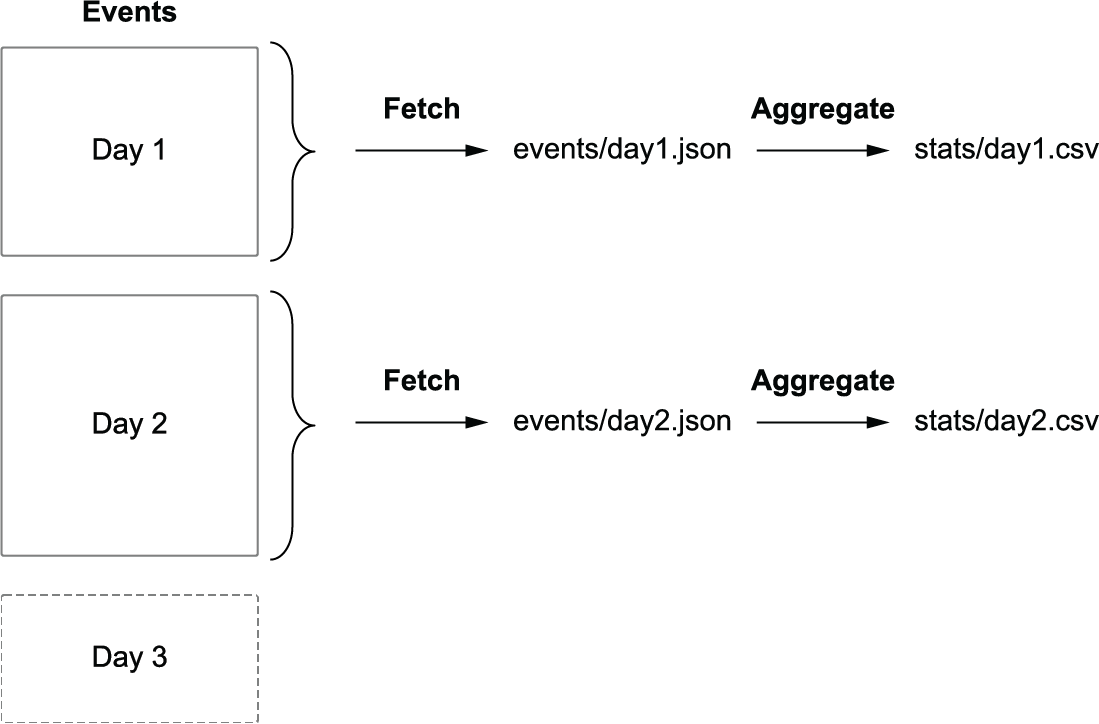
Implementation Detail 2: Train Model Only After Backfill
Implementation Detail 3: Downstream Consumers