Week 10: ETL Pipeline Orchestration with Prefect

DSAN 6000: Big Data and Cloud Computing
Fall 2026

Jeff Jacobs

jj1088@georgetown.edu

Monday, November 9, 2026

Pipelines for Triggered Execution

…HEY! WAKE UP! NEW DATA JUST CAME IN!

You before this week:

  • Sprint to your .ipynb and/or Spark cluster
  • Load, clean, process new data, manually, step-by-step
  • Email update to boss

You after this week:

  • Asset-aware pipeline automatically triggered
  • Airflow orchestrates loading, cleaning, processing
  • EmailOperator sends update

Pipelines vs. Pipeline Orchestration
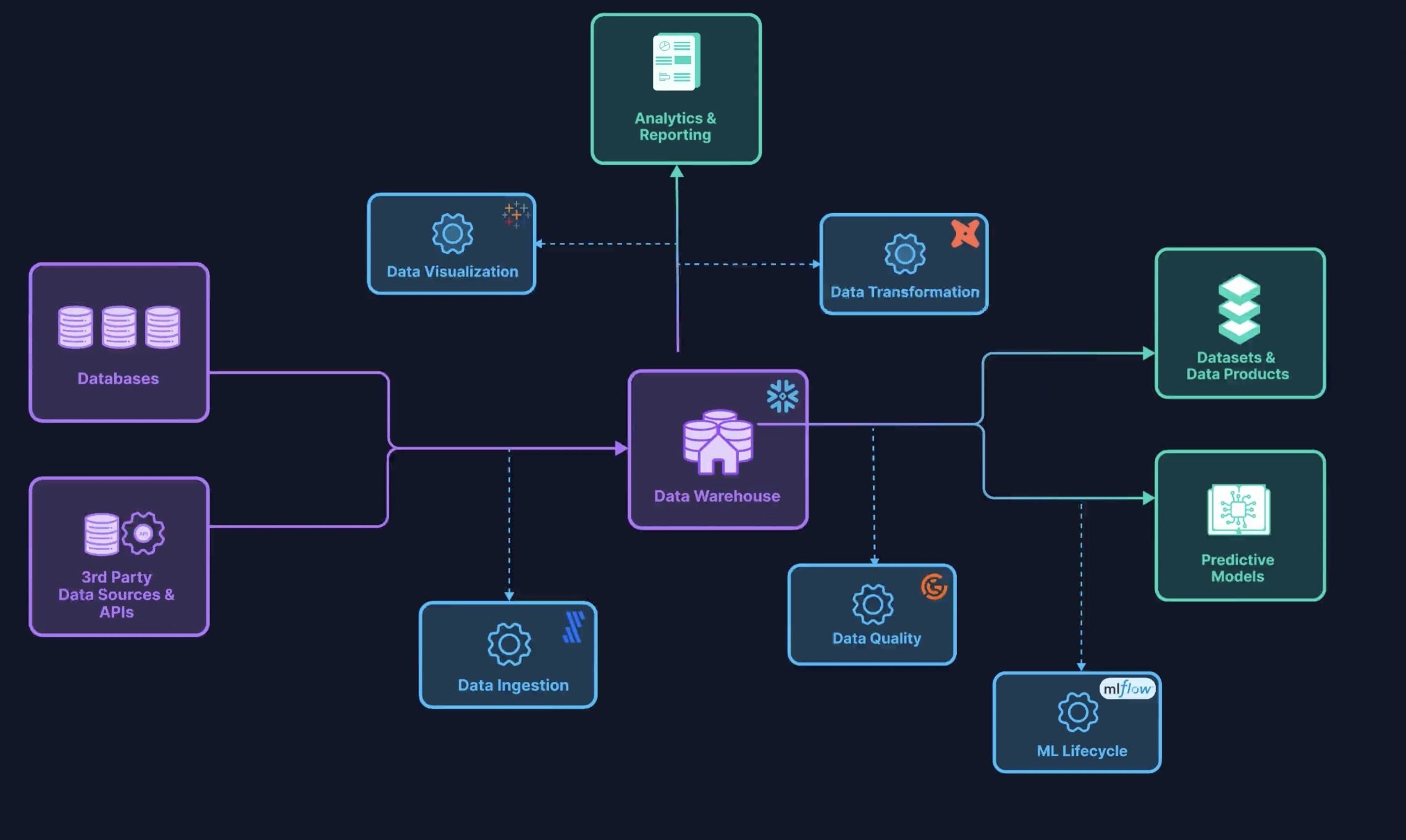
From Astronomer Academy’s Airflow 101

Key Airflow-Specific Buzzwords

(Underlined words link to Airflow docs “Core Concepts” section)

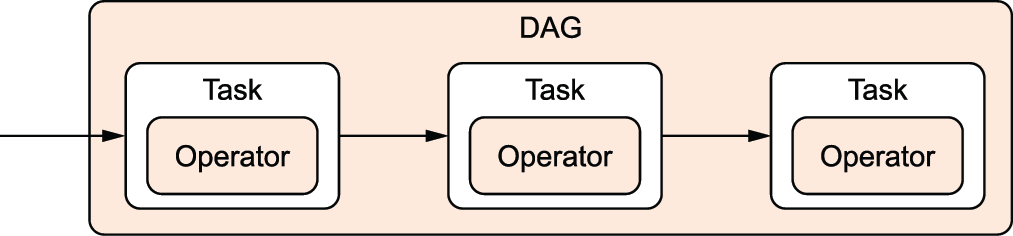
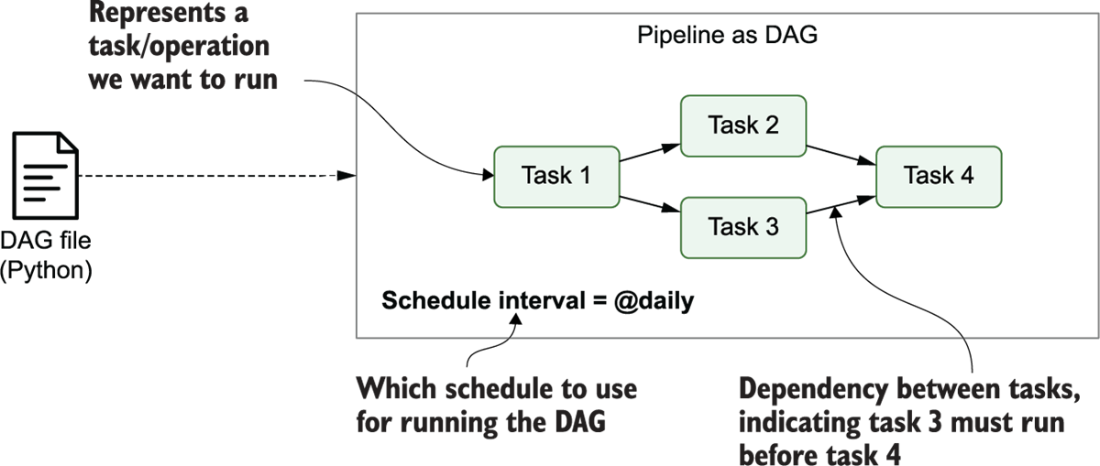
  • Directed Acyclic Graph (DAG): Your pipeline as a whole!

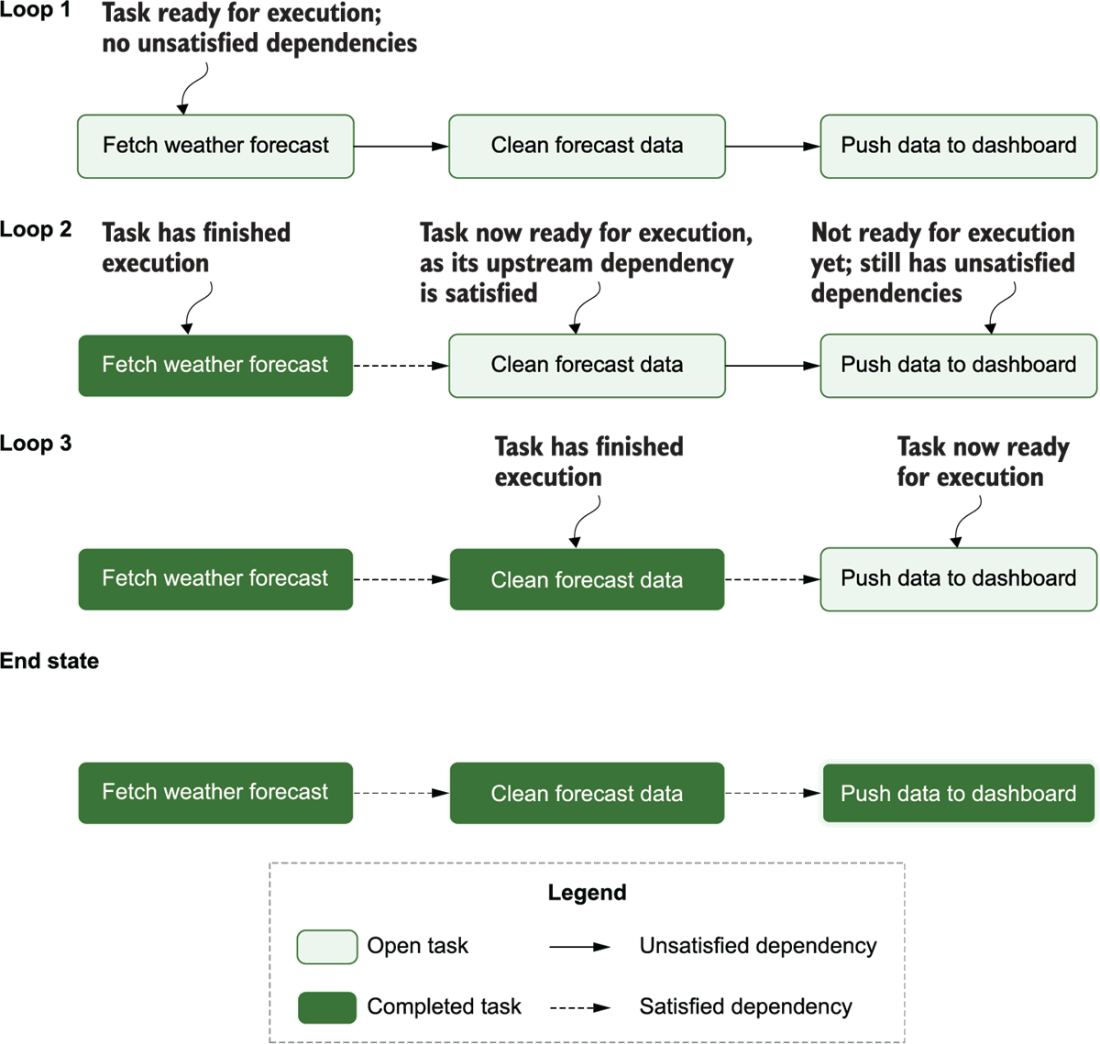
  • DAGs consist of multiple tasks, which you “string together” using the control flow operators >> and <<

  • [Ex ] second_task, third_task can’t start until first_task completes:

    first_task >> [second_task, third_task]
    # Equivalent to:
    first_task.set_downstream([second_task, third_task])
  • [Ex ] fourth_task can’t start until third_task completes:

    fourth_task << third_task
    # Equivalent to:
    fourth_task.set_upstream(third_task)
  • What kinds of tasks can we create? Brings us to another concept…

Operators: What Kind of task?

  • + Hundreds of “community provider” Operators:
  • HttpOperator
  • S3FileTransformOperator
  • SQLExecuteQueryOperator
  • EmailOperator
  • SlackAPIOperator

+ Jinja templating for managing how data “passes” from one step to the next:
Task vs. Operator: A Sanity-Preserving Distinction

From Operator docs:

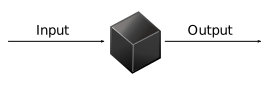
When we talk about a Task, we mean the generic “unit of execution” of a DAG; when we talk about an Operator, we mean a [specific] pre-made Task template, whose logic is all done for you and that just needs some arguments.

Task:
Operator:

Concepts \(\leadsto\) Code

start-airflow.sh
airflow db migrate
airflow api-server --port 8080
airflow scheduler
airflow dag-processor
airflow triggerer
  • Full Airflow “ecosystem” is running once you’ve started each piece via above (bash) commands!
  • Let’s look at each in turn…

db migrate: The Airflow Metastore

start-airflow.sh
airflow db migrate
airflow api-server --port 8080
airflow scheduler
airflow dag-processor
airflow triggerer
  • General info used by DAGs: variables, connections, XComs
  • Data about DAG and task runs (generated by scheduler)
  • Logs / error information
  • Not modified directly/manually! Managed by Airflow; To modify, use API Server →

API Server

start-airflow.sh
airflow db migrate
airflow api-server --port 8080
airflow scheduler
airflow dag-processor
airflow triggerer

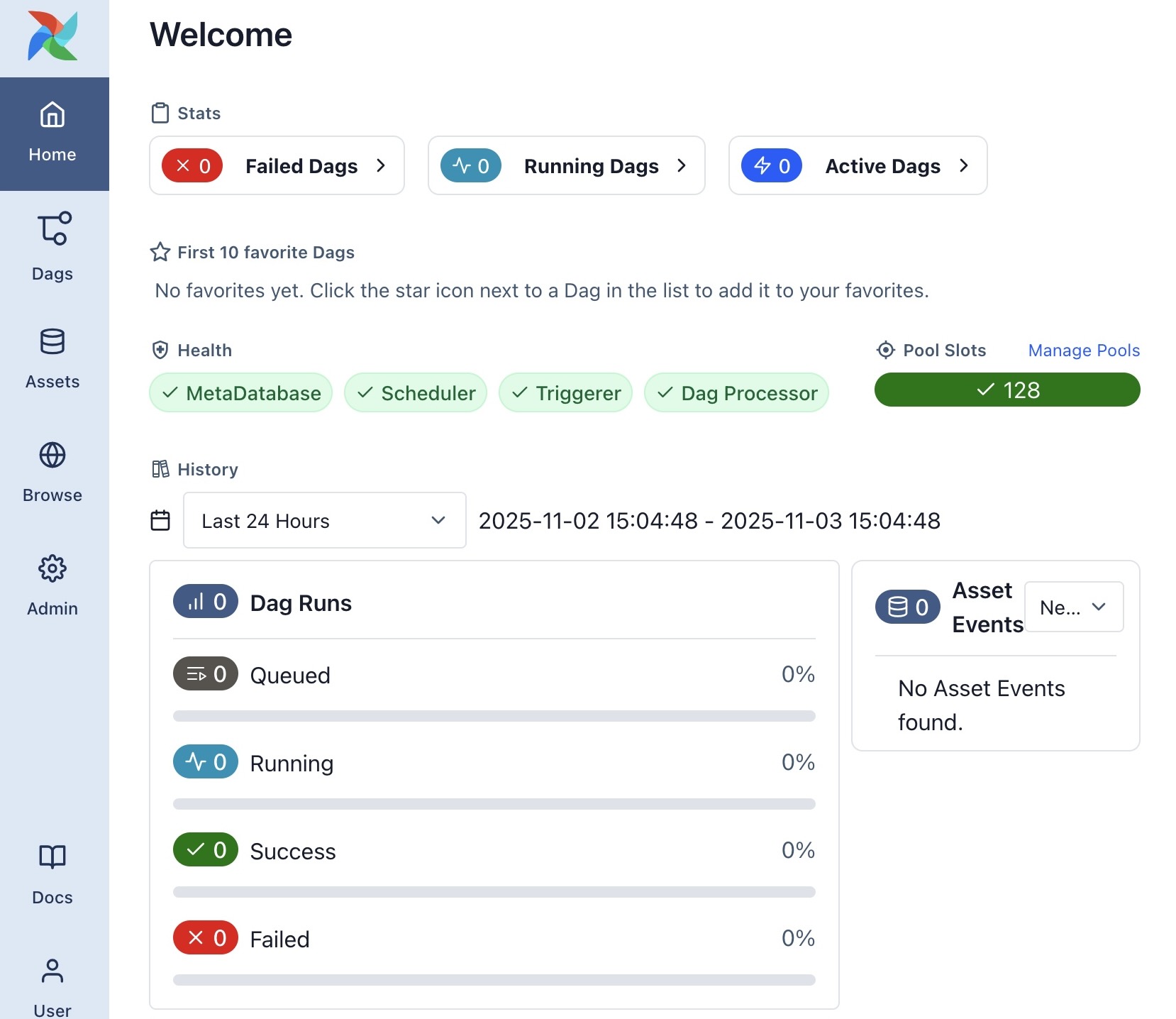
Web UI for managing Airflow (much more on this later!)

 Default Login Info

Default db migrate generates admin password in ~/simple_auth_manager_passwords.json.generated
SchedulerExecutor

start-airflow.sh
airflow db migrate
airflow api-server --port 8080
airflow scheduler
airflow dag-processor
airflow triggerer
  • Default: LocalExecutor
  • For scaling: EcsExecutor (AWS ECS), KubernetesExecutor
  • See also SparkSubmitOperator

DAG Processor

start-airflow.sh
airflow db migrate
airflow api-server --port 8080
airflow scheduler
airflow dag-processor
airflow triggerer

From (ruiter_data_2026?)

The schedule Argument

(Airflow uses pendulum under the hood, rather than datetime!)

dag_scheduling.py
from airflow.sdk import DAG
import pendulum
dag = DAG("regular_interval_cron_example", schedule="0 0 * * *", ...)
dag = DAG("regular_interval_cron_preset_example", schedule="@daily", ...)
dag = DAG("regular_interval_timedelta_example", schedule=pendulum.timedelta(days=1), ...)

Cron: Full-on scheduling language (used by computers since 1975!)

crontab.sh
# ┌───────────── minute (0–59)
# │ ┌───────────── hour (0–23)
# │ │ ┌───────────── day of the month (1–31)
# │ │ │ ┌───────────── month (1–12)
# │ │ │ │ ┌───────────── day of the week (0–6) (Sunday to Saturday)
# │ │ │ │ │
# │ │ │ │ │
# │ │ │ │ │
# * * * * * <command to execute>

Cron Presets: None, "@once", "@continuous", "@hourly", "@daily", "@weekly"

External Service Integration

Service Command
AWS pip install 'apache-airflow[amazon]'
Azure pip install 'apache-airflow[microsoft-azure]'
Databricks pip install 'apache-airflow[databricks]'
GitHub pip install 'apache-airflow[github]'
Google Cloud pip install 'apache-airflow[google]'
MongoDB pip install 'apache-airflow[mongo]'
OpenAI pip install 'apache-airflow[openai]'
Slack pip install 'apache-airflow[slack]'
Spark pip install 'apache-airflow[apache-spark]'
Tableau pip install 'apache-airflow[tableau]'

(And many more:)

Jinja Example

homepage.jinja
<h4>{{ me['name'] }}'s Favorite Hobbies</h4>
<ul>
{%- for hobby in hobbies %}
  <li>{{ hobby }}</li>
{%- endfor %}
</ul>
+
render_jinja.py
from jinja2 import Template
tmpl = Template('homepage.jinja')
tmpl.render(
    me = {'name': 'Jeff'},
    hobbies = [
        'eat',
        'sleep',
        'attend to the proverbial bag'
    ]
)


rendered.html
<h4>Jeff's Favorite Hobbies</h4>
<ul>
  <li>eat</li>
  <li>sleep</li>
  <li>attend to the proverbial bag</li>
</ul>

\(\leadsto\)

Jeff's Favorite Hobbies

  • eat
  • sleep
  • attend to the proverbial bag

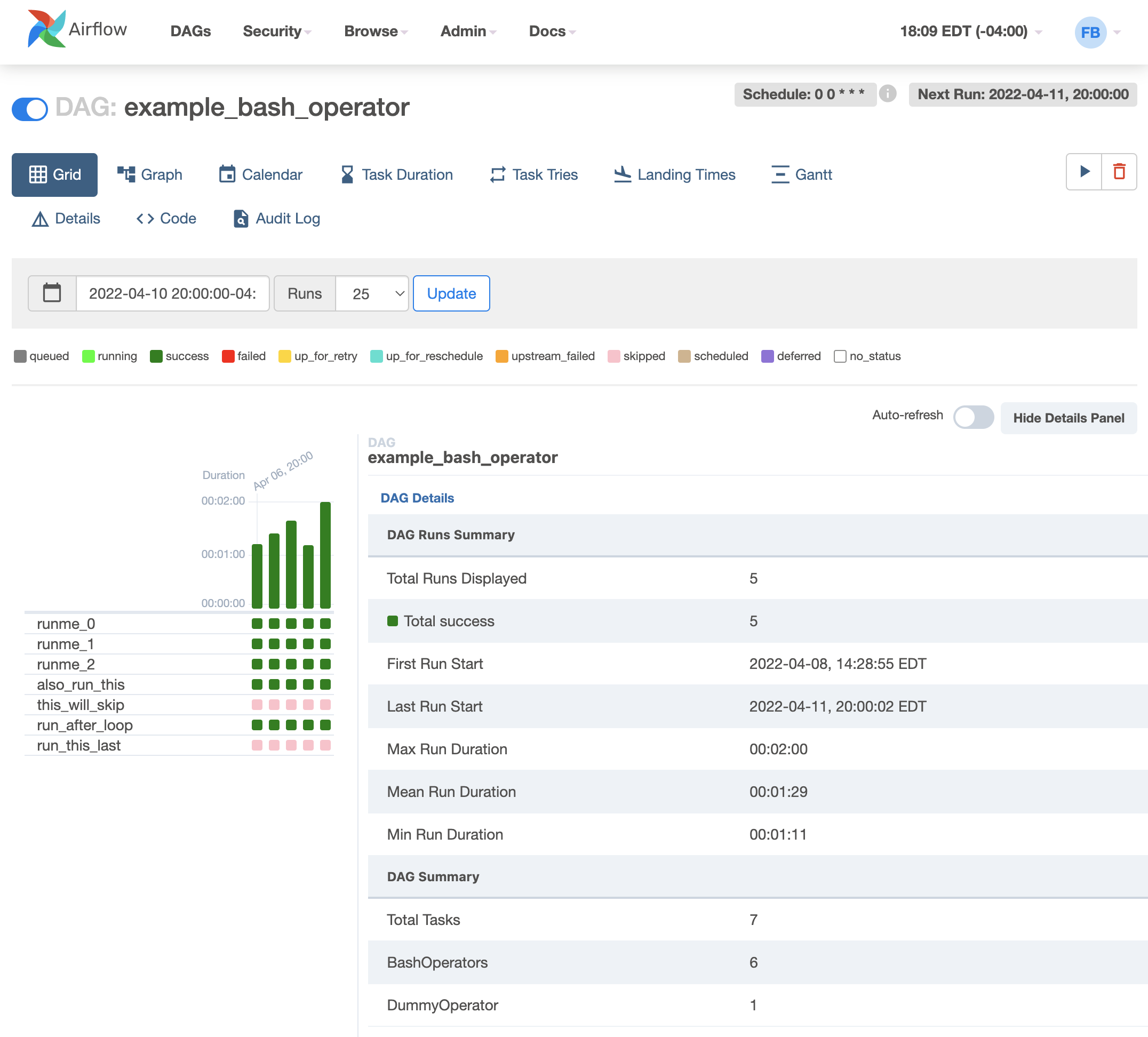
Airflow UI: Grid View

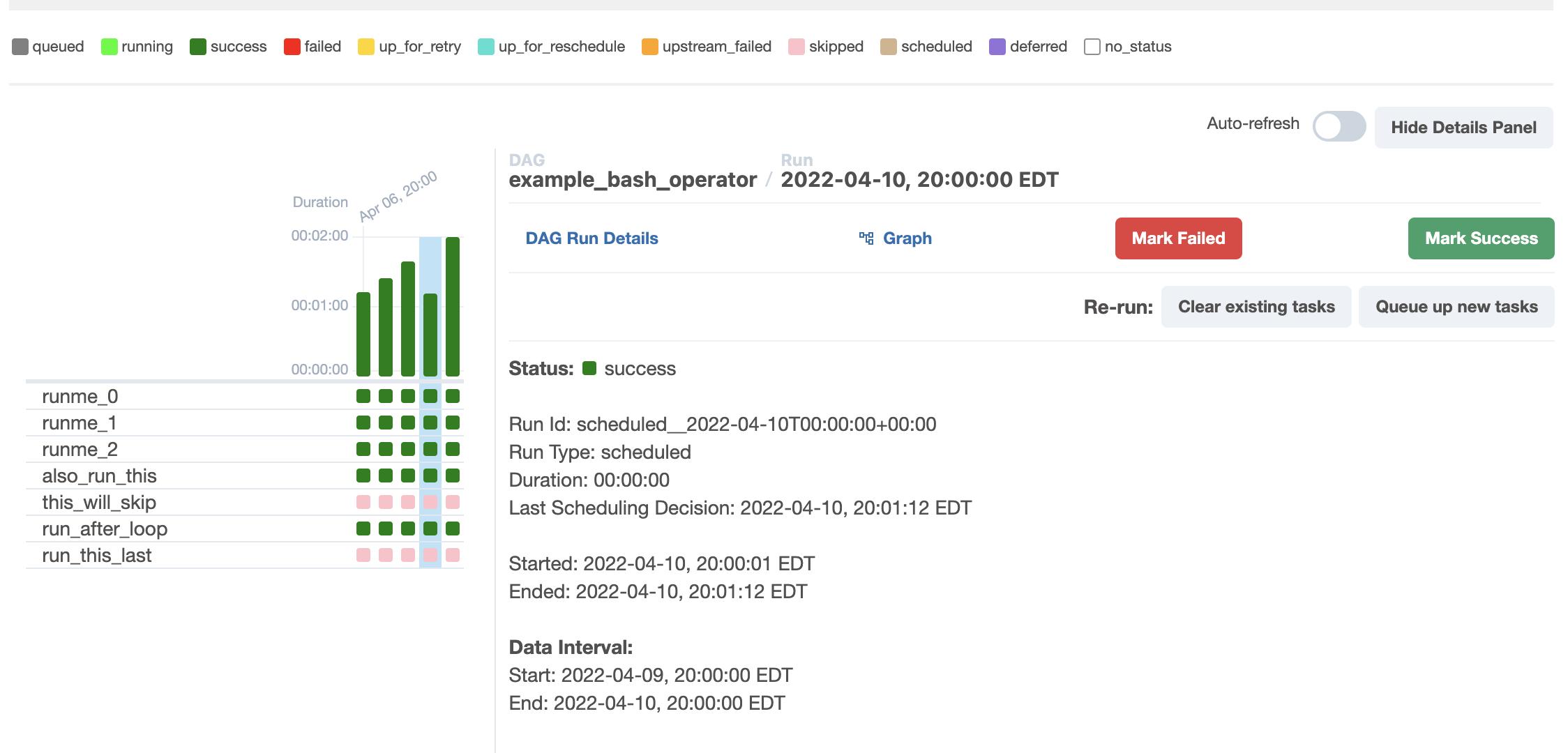
Airflow UI: Run Details
Airflow UI: Task Instance Details
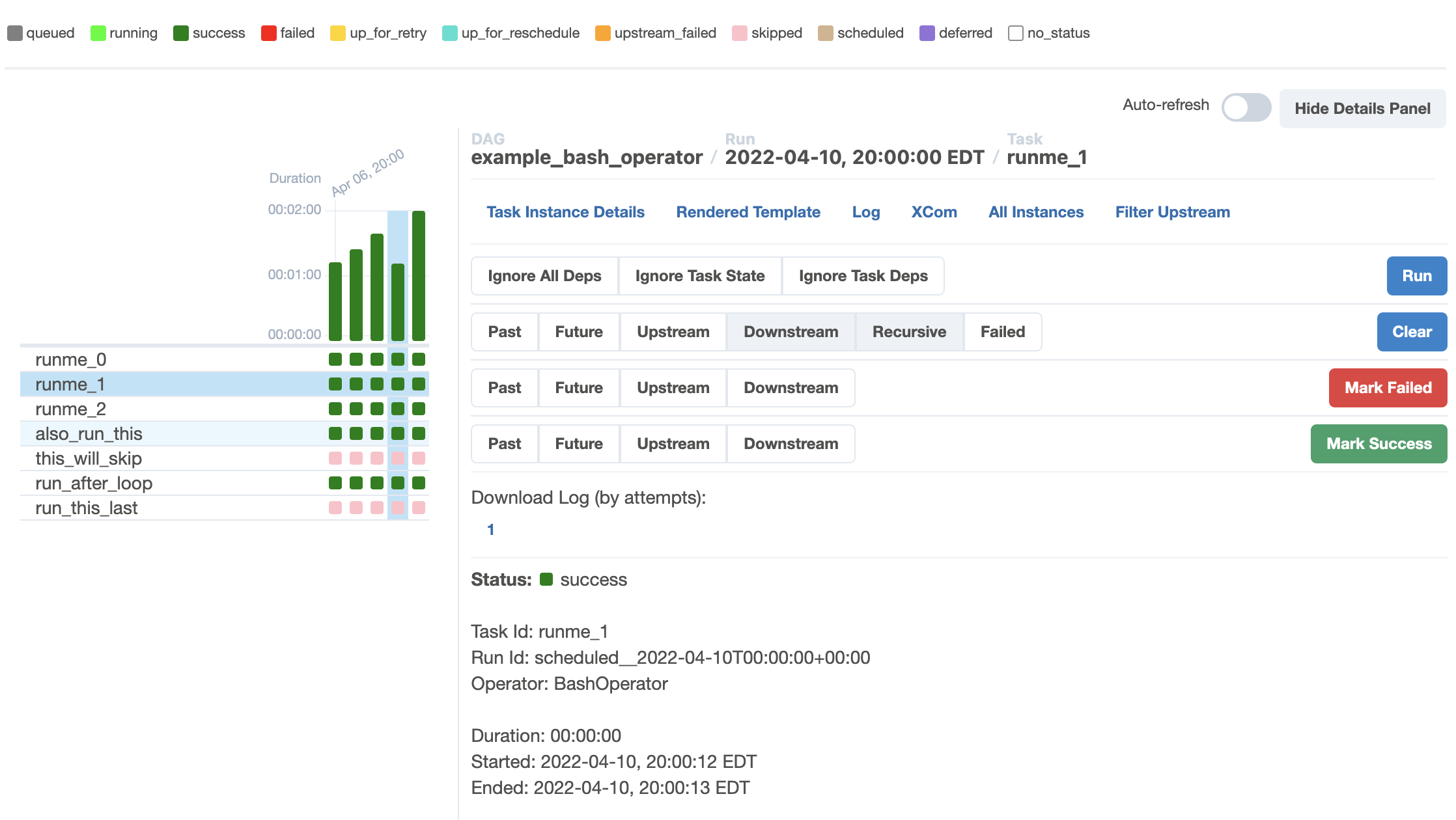
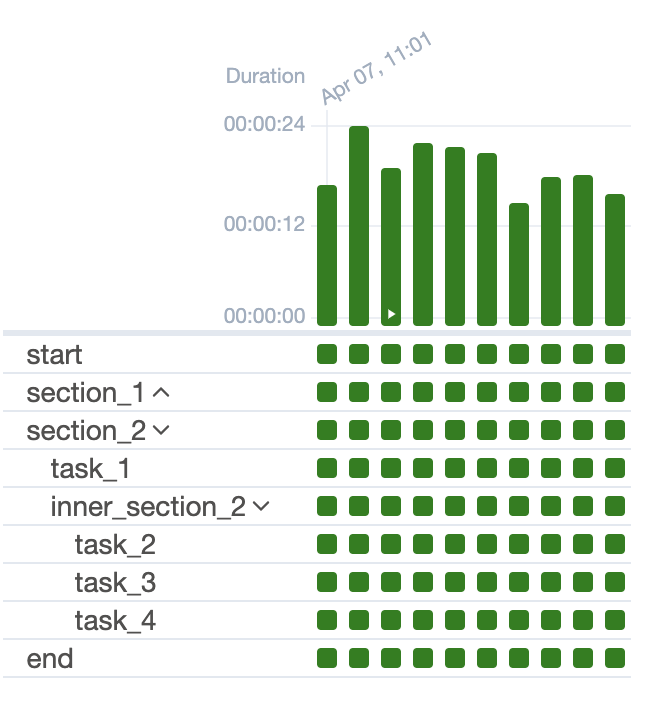
Tasks → Task Groups
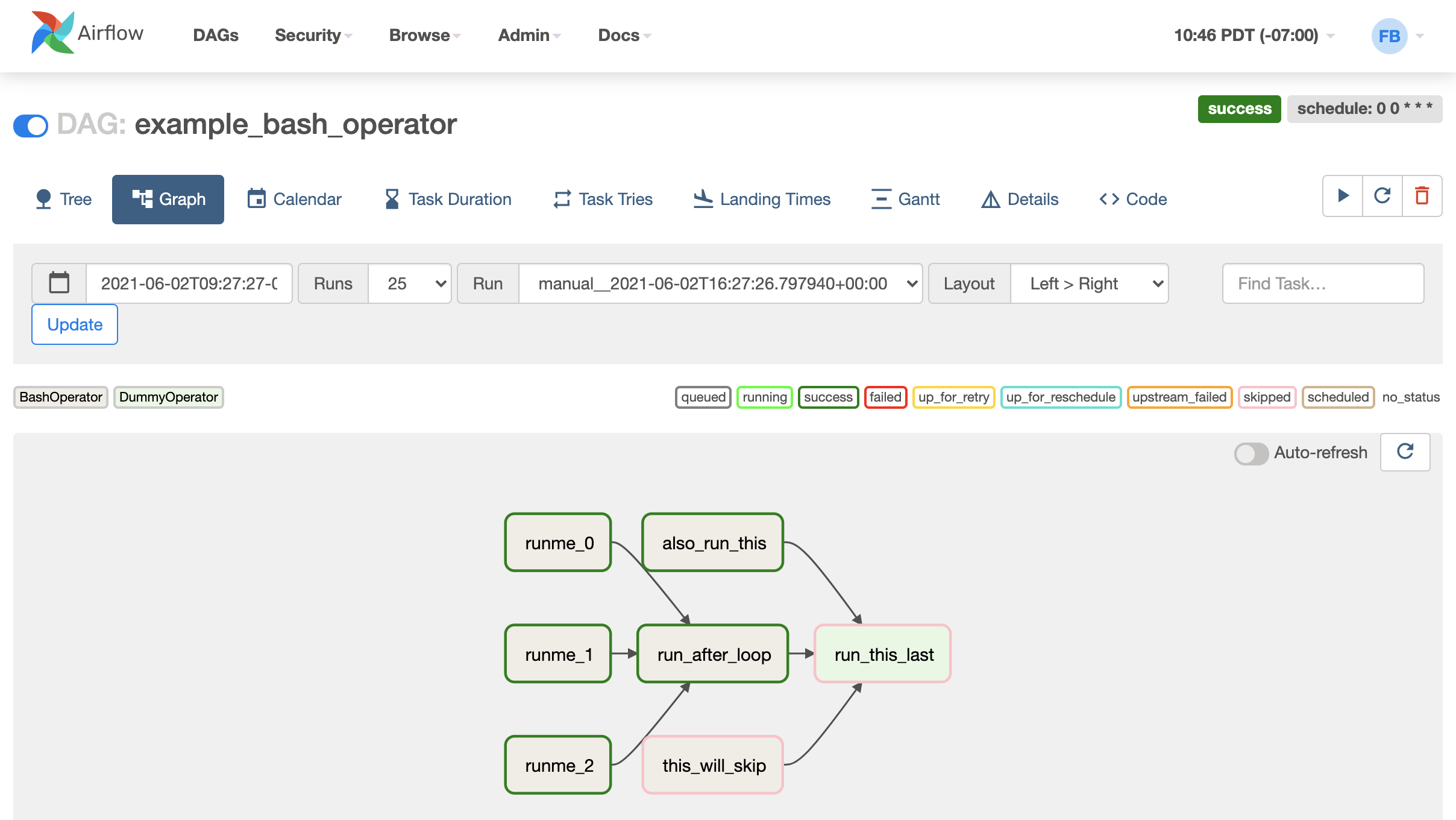
Graph View
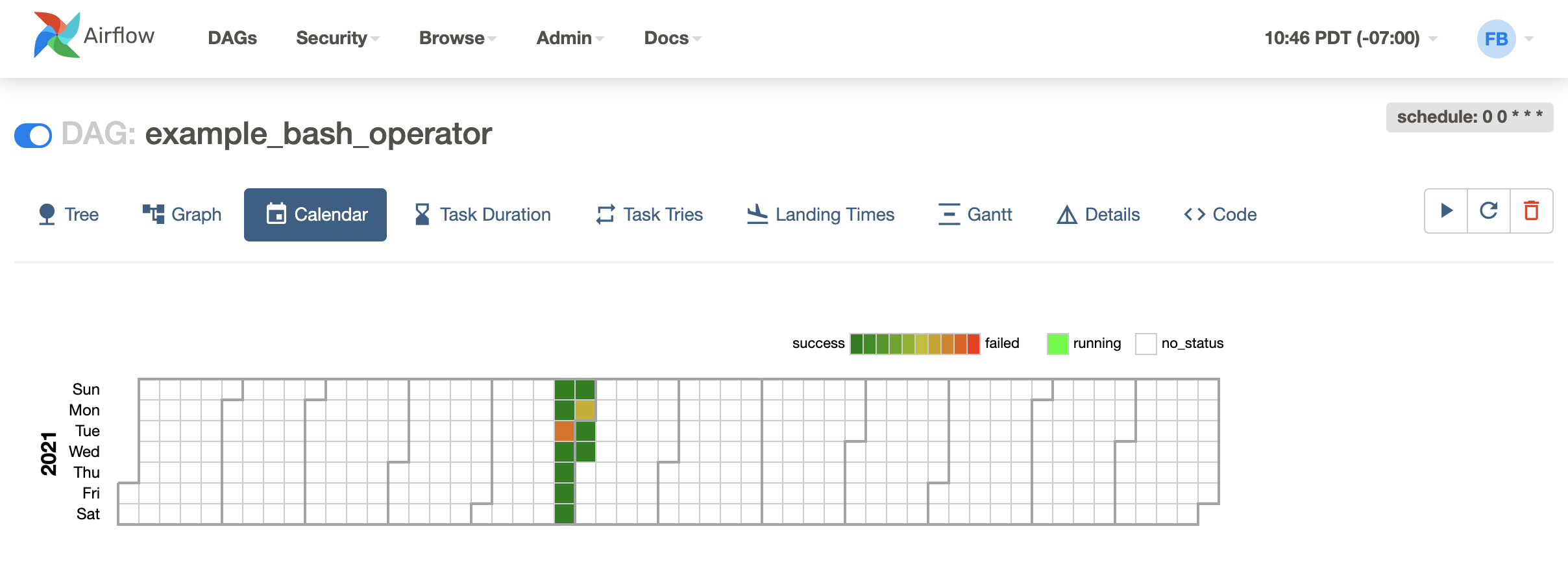
Calendar View
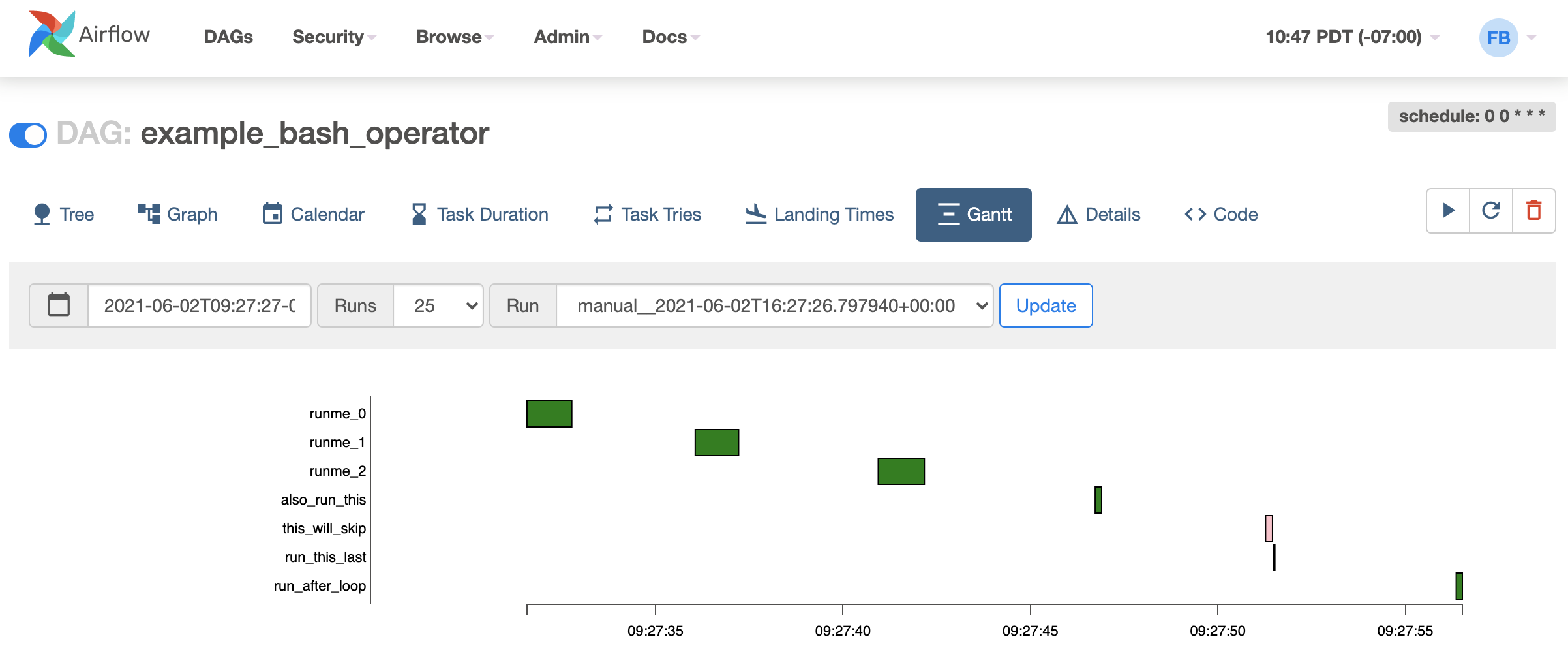
Gantt View
New Book: Up-To-Date (Airflow 3.0) Demos 🤓
Conceptual Pipelines \(\leadsto\) DAGs

Main challenge: converting “intuitive” pipelines in our heads:
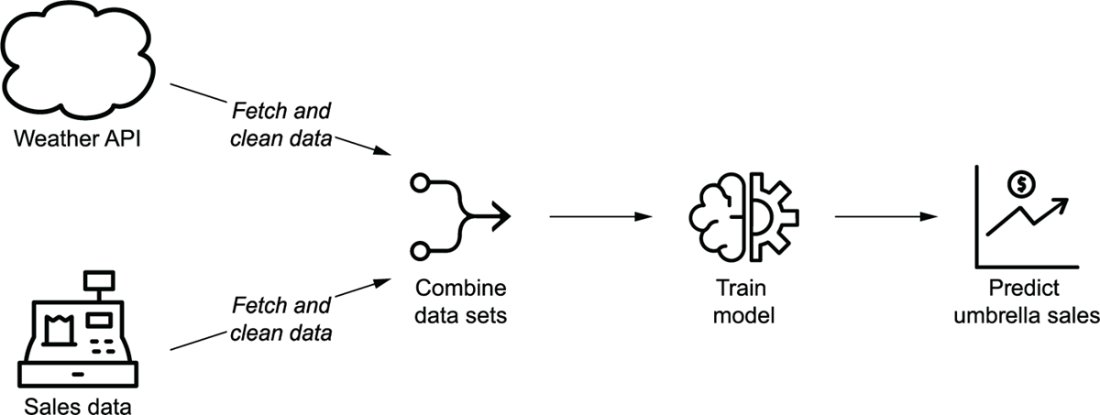
Into DAGs with concrete Tasks, dependencies, and triggers:

Also from (ruiter_data_2026?)

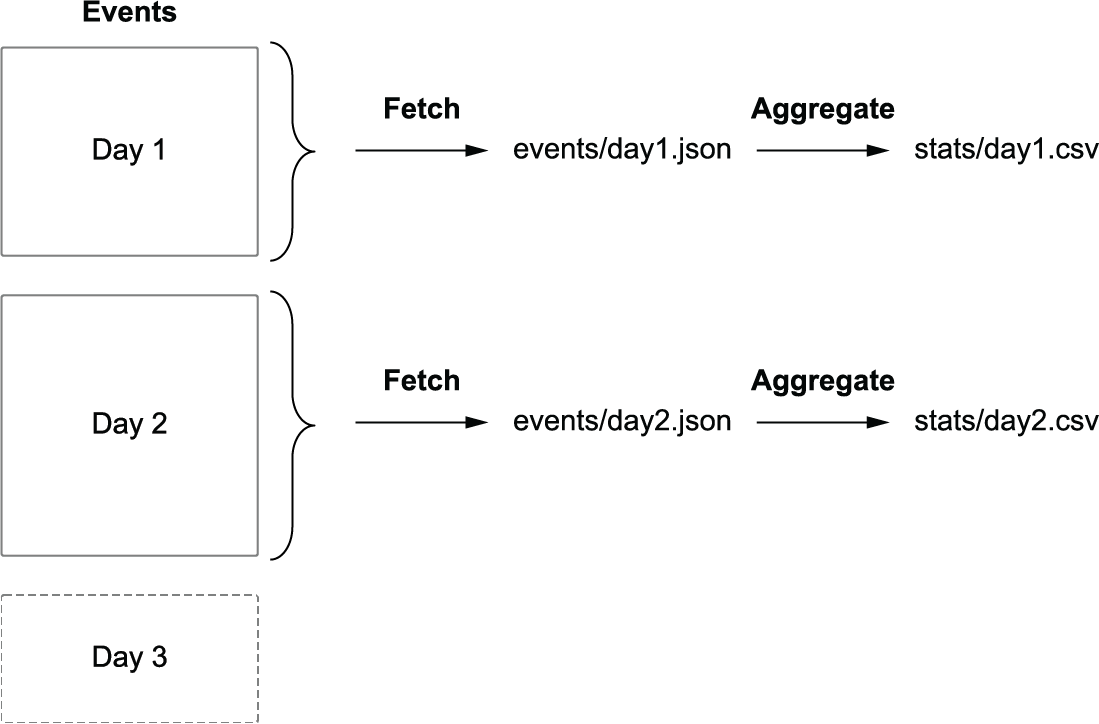
Implementation Detail 1: Backfilling

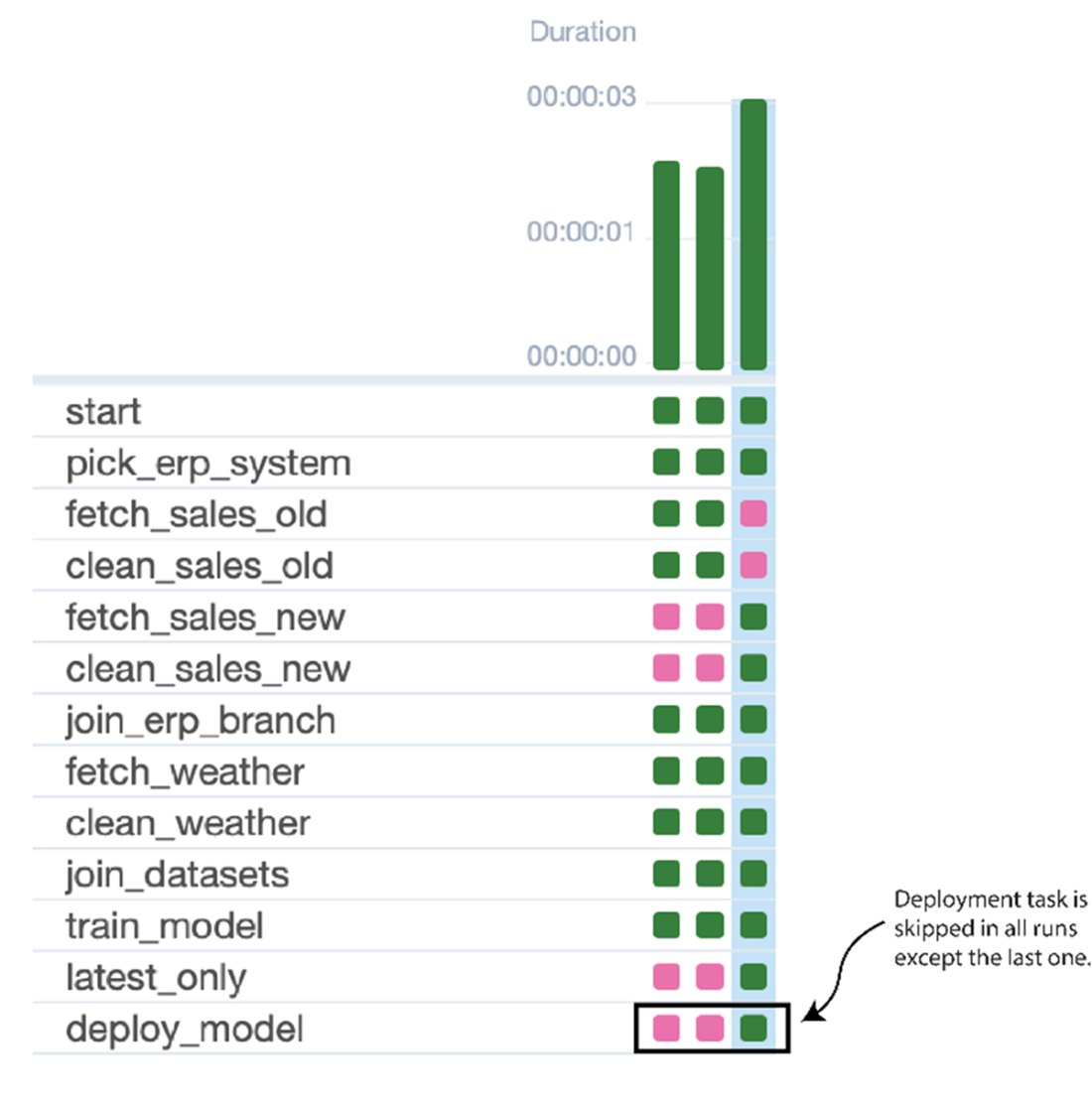
Implementation Detail 2: Train Model Only After Backfill
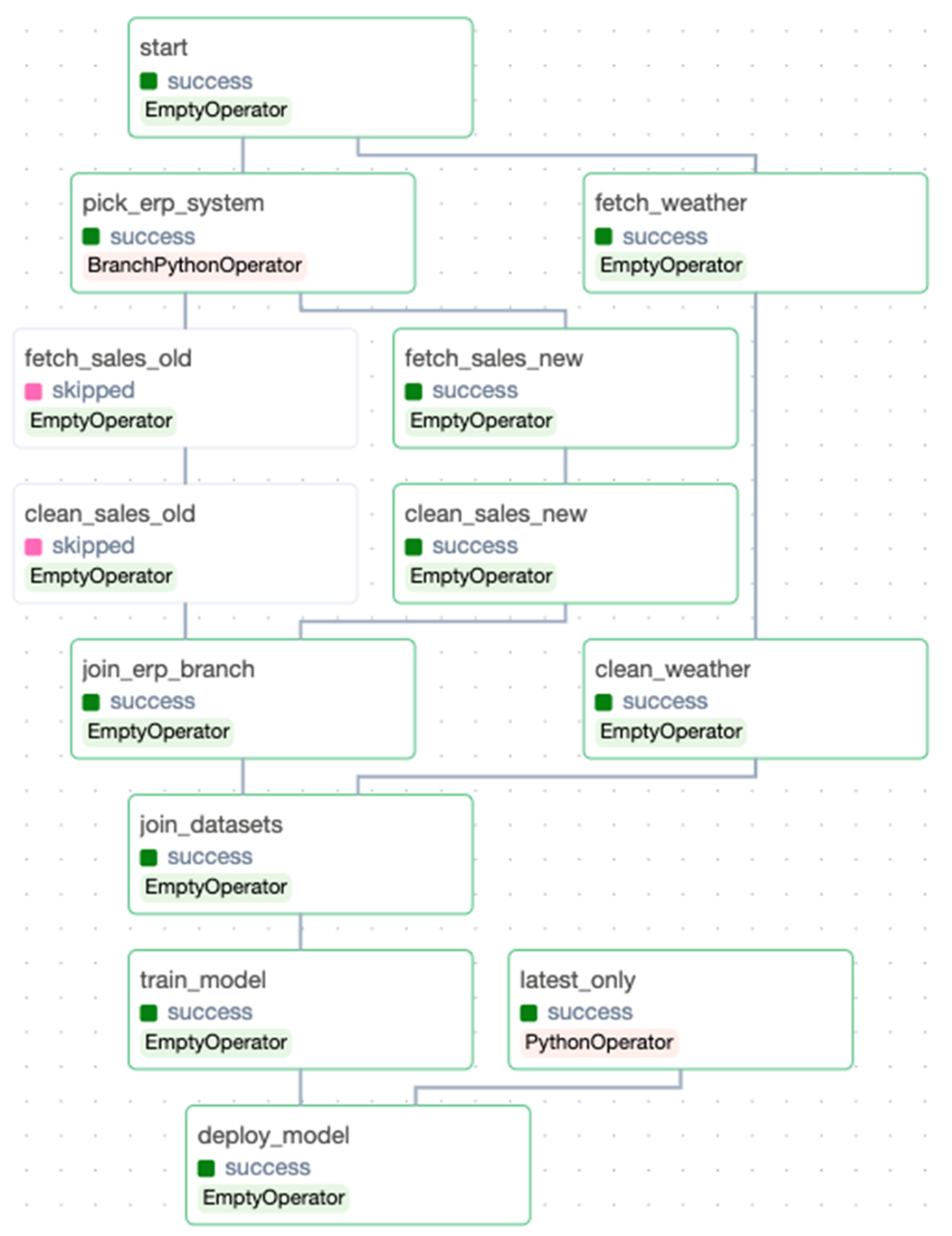
\(\leadsto\)

Fig 1: Both figures from (ruiter_data_2026?)

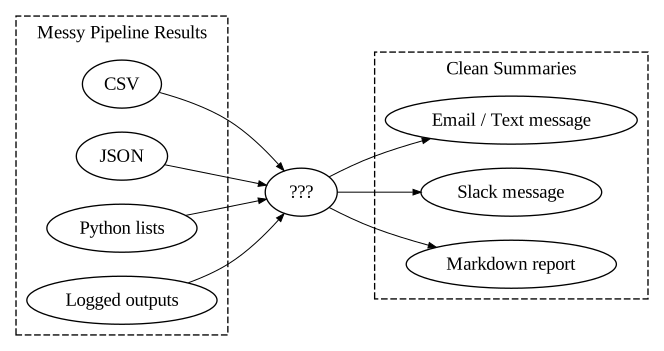
Implementation Detail 3: Downstream Consumers
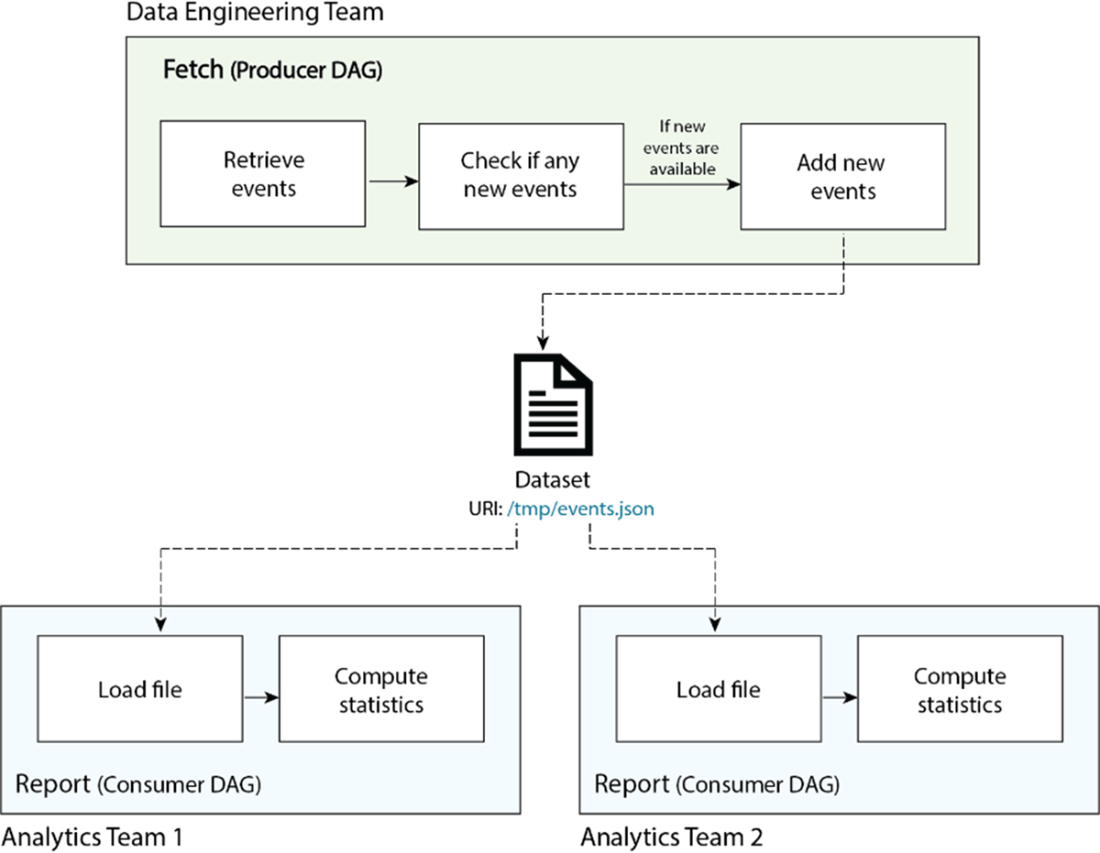
From (ruiter_data_2026?)

Lab Time!

Lab 10: ETL Pipeline Orchestration with Airflow

References