Week 7: Spark DataFrames and Spark SQL

DSAN 6000: Big Data and Cloud Computing
Fall 2025

Amit Arora and Jeff Jacobs

jj1088@georgetown.edu

Monday, October 6, 2025

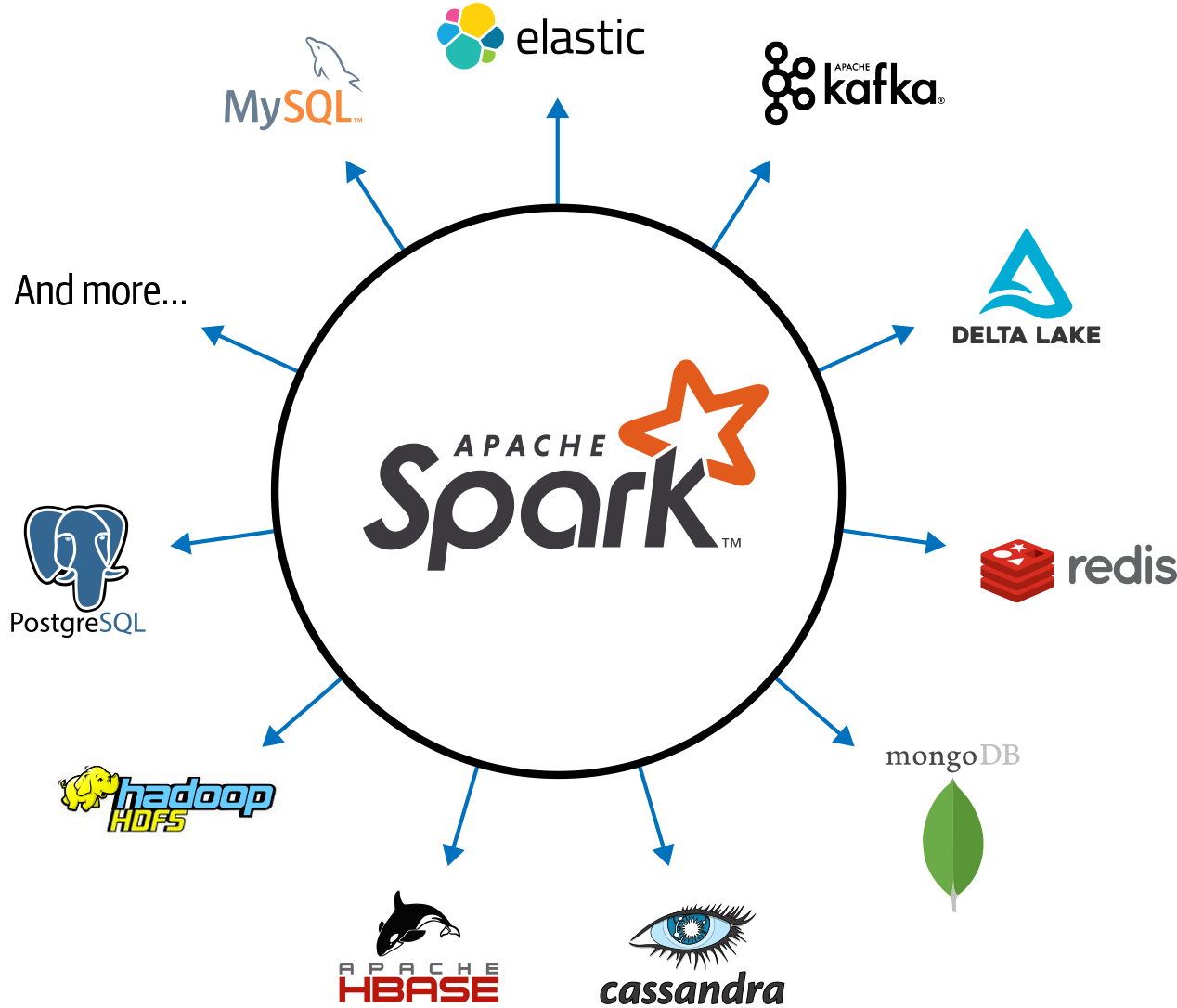
Spark: a Unified Engine

Connected and extensible

Review of PySparkSQL Cheatsheet

https://s3.amazonaws.com/assets.datacamp.com/blog_assets/PySpark_SQL_Cheat_Sheet_Python.pdf

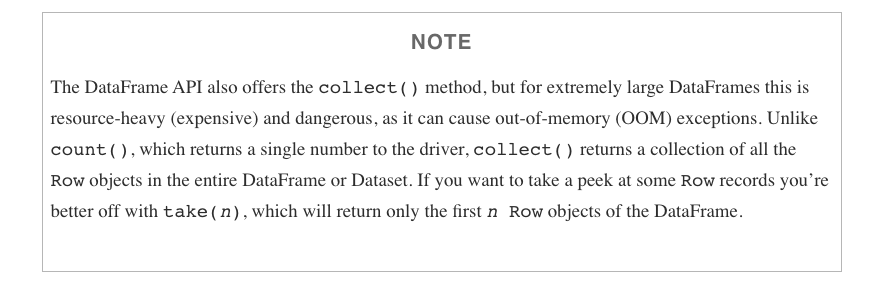
collect CAUTION

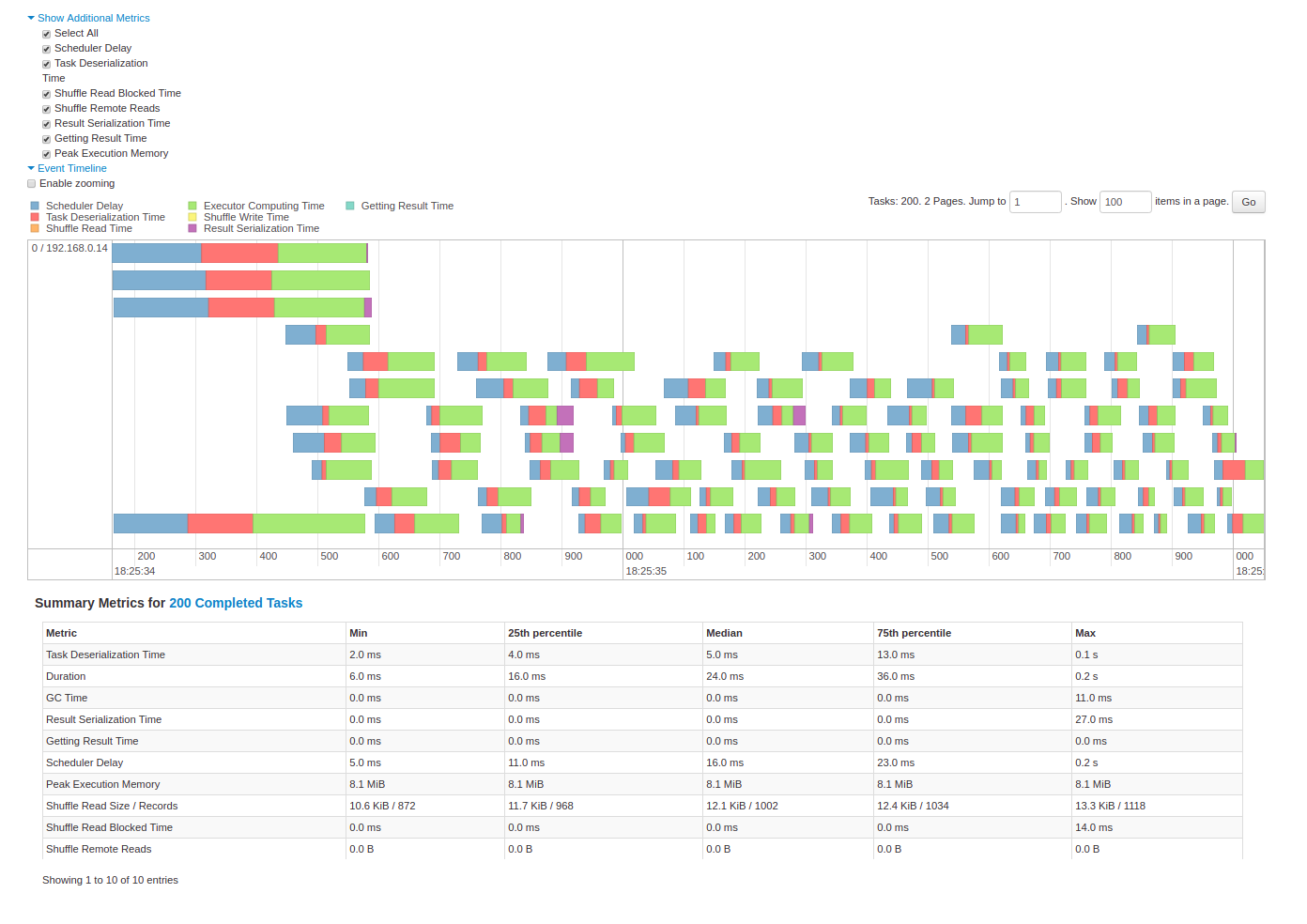
Spark Diagnostic UI: Understanding how the cluster is running your job

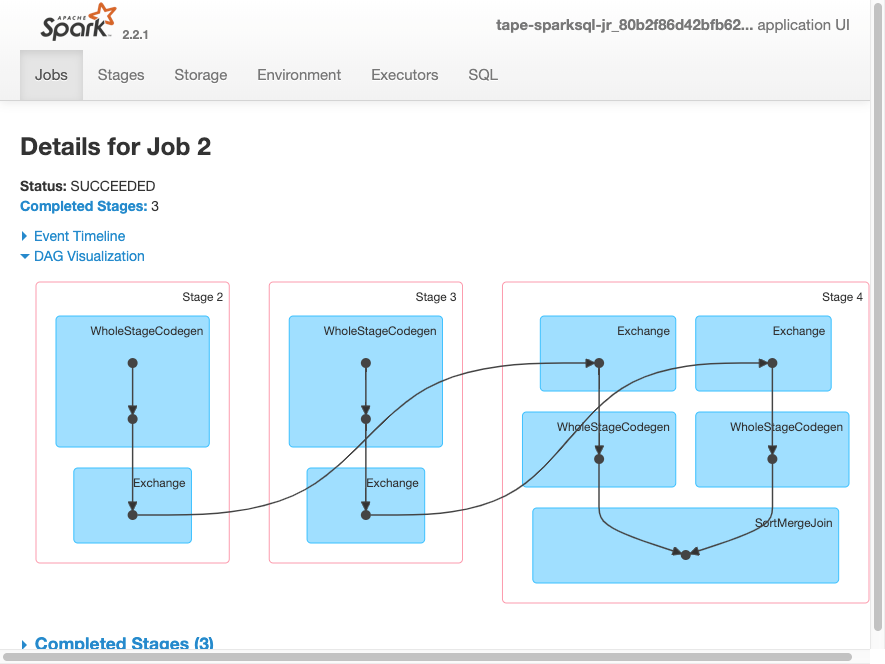
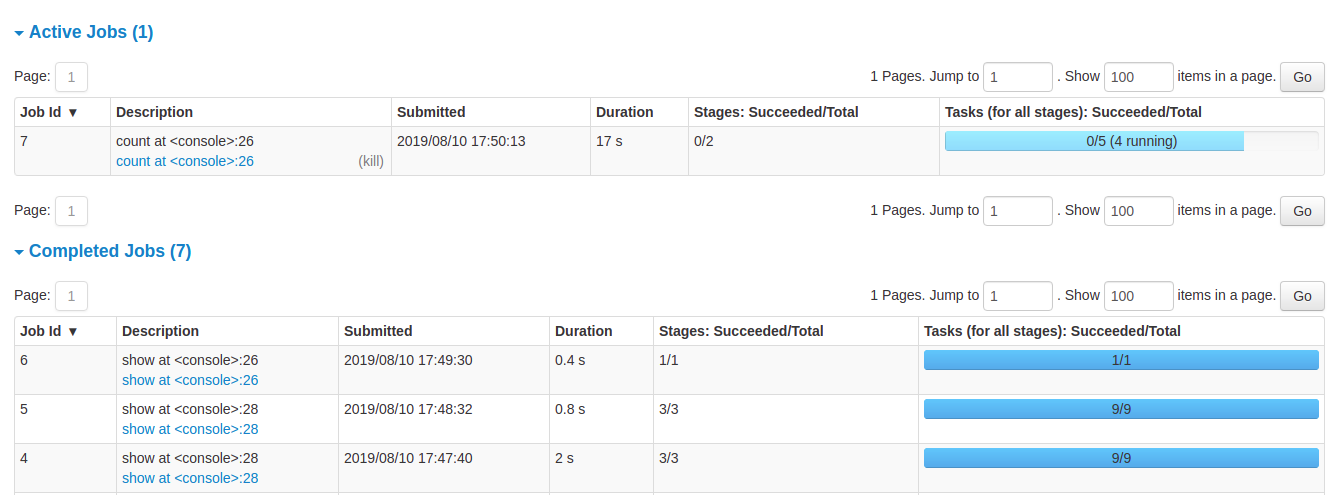
Spark Application UI shows important facts about you Spark job:

  • Event timeline for each stage of your work
  • Directed acyclical graph (DAG) of your job
  • Spark job history
  • Status of Spark executors
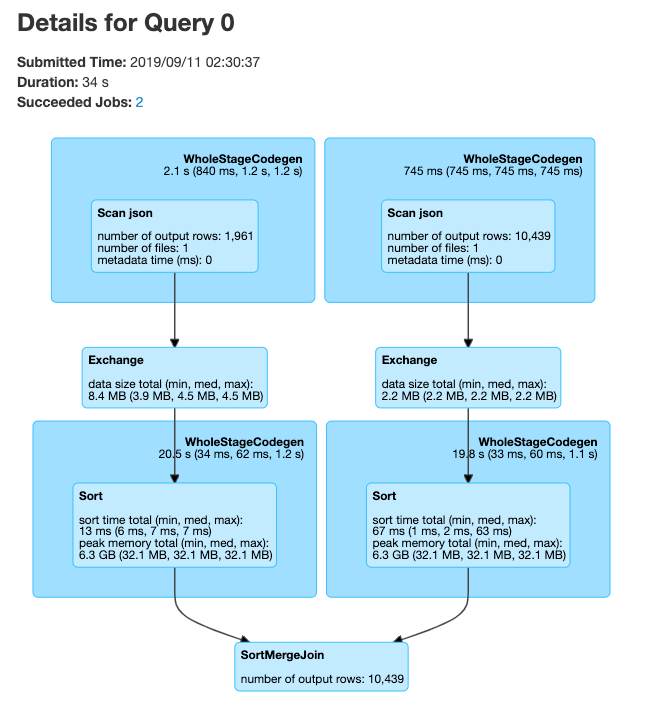
  • Physical / logical plans for any SQL queries

Tool to confirm you are getting the horizontal scaling that you need!

Adapted from AWS Glue Spark UI docs and Spark UI docs

Spark UI - Event timeline

Spark UI - DAG
Spark UI - Job History
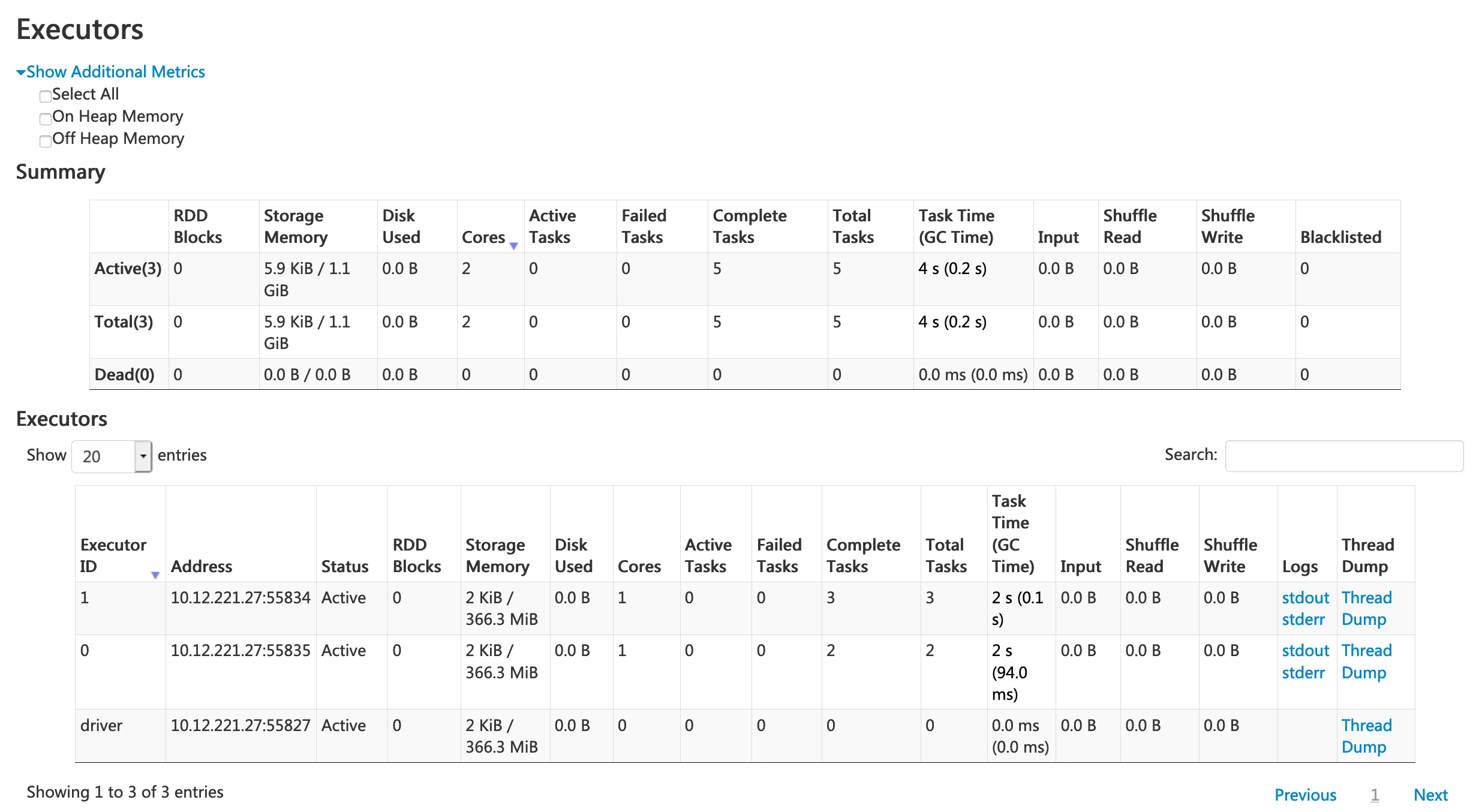
Spark UI - Executors
Spark UI - SQL
PySpark User Defined Functions

UDF Workflow

UDF Code Structure

Clear input - a single row of data with one or more columns used

Function - some work written in python that process the input using python syntax. No PySpark needed!

Clear output - output with a scoped data type

UDF Example

Problem: make a new column with ages for adults-only

+-------+--------------+
|room_id|   guests_ages|
+-------+--------------+
|      1|  [18, 19, 17]|
|      2|   [25, 27, 5]|
|      3|[34, 38, 8, 7]|
+-------+--------------+

Adapted from UDFs in Spark

UDF Code Solution

```{python}
from pyspark.sql.functions import udf, col

@udf("array<integer>")
   def filter_adults(elements):
   return list(filter(lambda x: x >= 18, elements))

# alternatively
from pyspark.sql.types IntegerType, ArrayType
@udf(returnType=ArrayType(IntegerType()))
def filter_adults(elements):
   return list(filter(lambda x: x >= 18, elements))
```
+-------+----------------+------------+
|room_id| guests_ages    | adults_ages|
+-------+----------------+------------+
| 1     | [18, 19, 17]   |    [18, 19]|
| 2     | [25, 27, 5]    |    [25, 27]|
| 3     | [34, 38, 8, 7] |    [34, 38]|
| 4     |[56, 49, 18, 17]|[56, 49, 18]|
+-------+----------------+------------+

Alternative to Spark UDF

```{python}
# Spark 3.1
from pyspark.sql.functions import col, filter, lit

df.withColumn('adults_ages',
              filter(col('guests_ages'), lambda x: x >= lit(18))).show()
```

Another UDF Example

  • Separate function definition form
```{python}
from pyspark.sql.functions import udf
from pyspark.sql.types import LongType

# define the function that can be tested locally
def squared(s):
  return s * s

# wrap the function in udf for spark and define the output type
squared_udf = udf(squared, LongType())

# execute the udf
df = spark.table("test")
display(df.select("id", squared_udf("id").alias("id_squared")))
```
  • Single function definition form
```{python}
from pyspark.sql.functions import udf
@udf("long")
def squared_udf(s):
  return s * s
df = spark.table("test")
display(df.select("id", squared_udf("id").alias("id_squared")))
```

Can also refer to a UDF in SQL

```{sql}
spark.udf.register("squaredWithPython", squared)
select id, squaredWithPython(id) as id_squared from test
```
  • Consider all the corner cases
  • Where could the data be null or an unexpected value
  • Leverage python control structure to handle corner cases

source

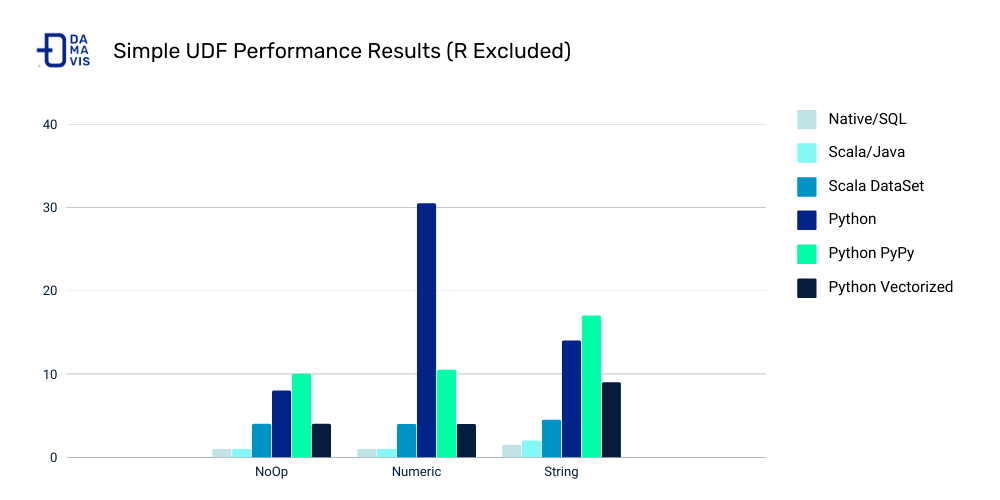
UDF Speed Comparison

Costs:

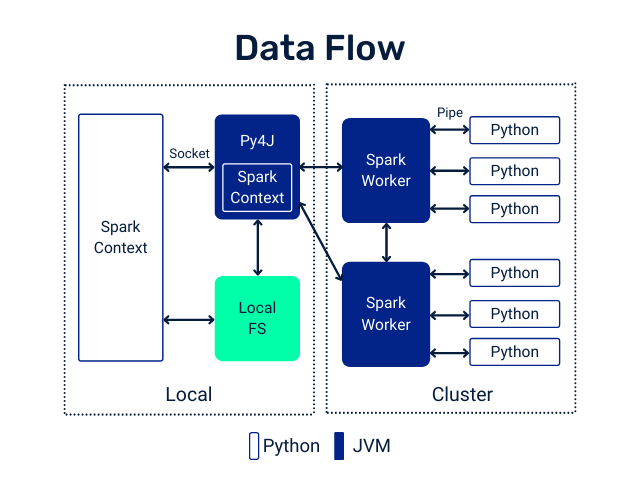
  • Serialization/deserialization (think pickle files)
  • Data movement between JVM and Python
  • Less Spark optimization possible

Other ways to make your Spark jobs faster source:

  • Cache/persist your data into memory
  • Using Spark DataFrames over Spark RDDs
  • Using Spark SQL functions before jumping into UDFs
  • Save to serialized data formats like Parquet

Pandas UDF

From PySpark docs - Pandas UDFs are user defined functions that are executed by Spark using Arrow to transfer data and Pandas to work with the data, which allows vectorized operations. A Pandas UDF is defined using the pandas_udf as a decorator or to wrap the function, and no additional configuration is required. A Pandas UDF behaves as a regular PySpark function API in general.

```{python}
@pandas_udf("string")
def to_upper(s: pd.Series) -> pd.Series:
    return s.str.upper()

df = spark.createDataFrame([("John Doe",)], ("name",))
df.select(to_upper("name")).show()
+--------------+
|to_upper(name)|
+--------------+
|      JOHN DOE|
+--------------+
```

Another example

```{python}
@pandas_udf("first string, last string")
def split_expand(s: pd.Series) -> pd.DataFrame:
    return s.str.split(expand=True)


df = spark.createDataFrame([("John Doe",)], ("name",))
df.select(split_expand("name")).show()
+------------------+
|split_expand(name)|
+------------------+
|       [John, Doe]|
+------------------+
```

https://spark.apache.org/docs/latest/api/python/reference/pyspark.sql/api/pyspark.sql.functions.pandas_udf.html

Scalar Pandas UDFs

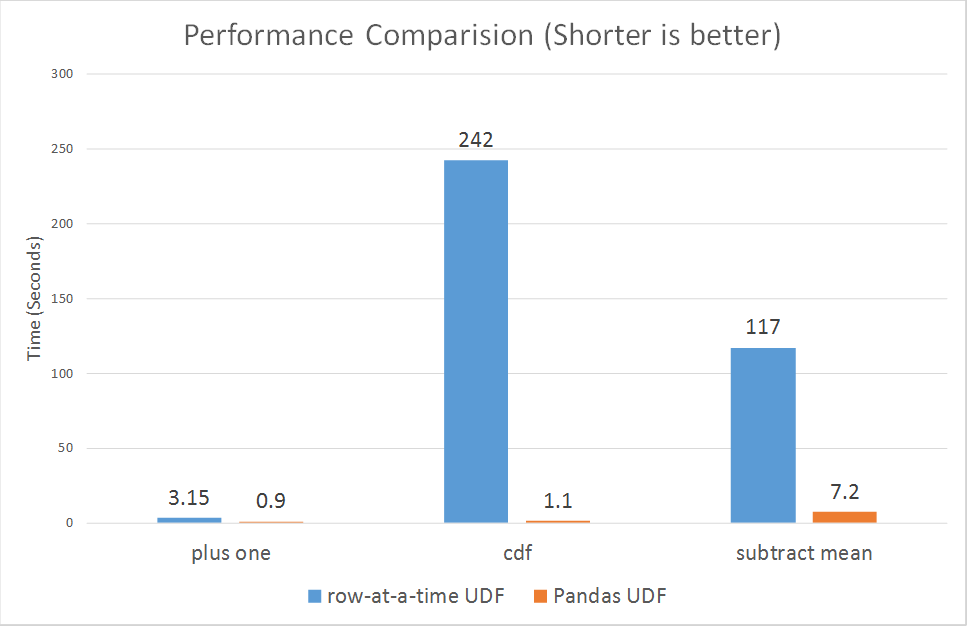
  • Vectorizing scalar operations - one plus one
  • Pandas UDF needs to have same size input and output series

UDF Form

```{python}
from pyspark.sql.functions import udf

# Use udf to define a row-at-a-time udf
@udf('double')
# Input/output are both a single double value
def plus_one(v):
      return v + 1

df.withColumn('v2', plus_one(df.v))
```

Pandas UDF Form - faster vectorized form

```{python}
from pyspark.sql.functions import pandas_udf, PandasUDFType

# Use pandas_udf to define a Pandas UDF
@pandas_udf('double', PandasUDFType.SCALAR)
# Input/output are both a pandas.Series of doubles

def pandas_plus_one(v):
    return v + 1

df.withColumn('v2', pandas_plus_one(df.v))
```

source

Grouped Map Pandas UDFs

  • Split, apply, combine using Pandas syntax
```{python}
@pandas_udf(df.schema, PandasUDFType.GROUPED_MAP)
# Input/output are both a pandas.DataFrame
def subtract_mean(pdf):
    return pdf.assign(v=pdf.v - pdf.v.mean())

df.groupby('id').apply(subtract_mean)
```

Comparison of Scalar and Grouped Map Pandas UDFs

  • Input of the user-defined function:

    • Scalar: pandas.Series
    • Grouped map: pandas.DataFrame
  • Output of the user-defined function:

    • Scalar: pandas.Series
    • Grouped map: pandas.DataFrame
  • Grouping semantics:

    • Scalar: no grouping semantics
    • Grouped map: defined by “groupby” clause
  • Output size:

    • Scalar: same as input size
    • Grouped map: any size

Lab Time!

References