
Introduction to Quarto = Python + R

Week 6, Part 1

Jeff Jacobs

DSAN Summer Bootcamp 2024
Georgetown University

R and Python as “Building Blocks”

Setting Up Your Environment

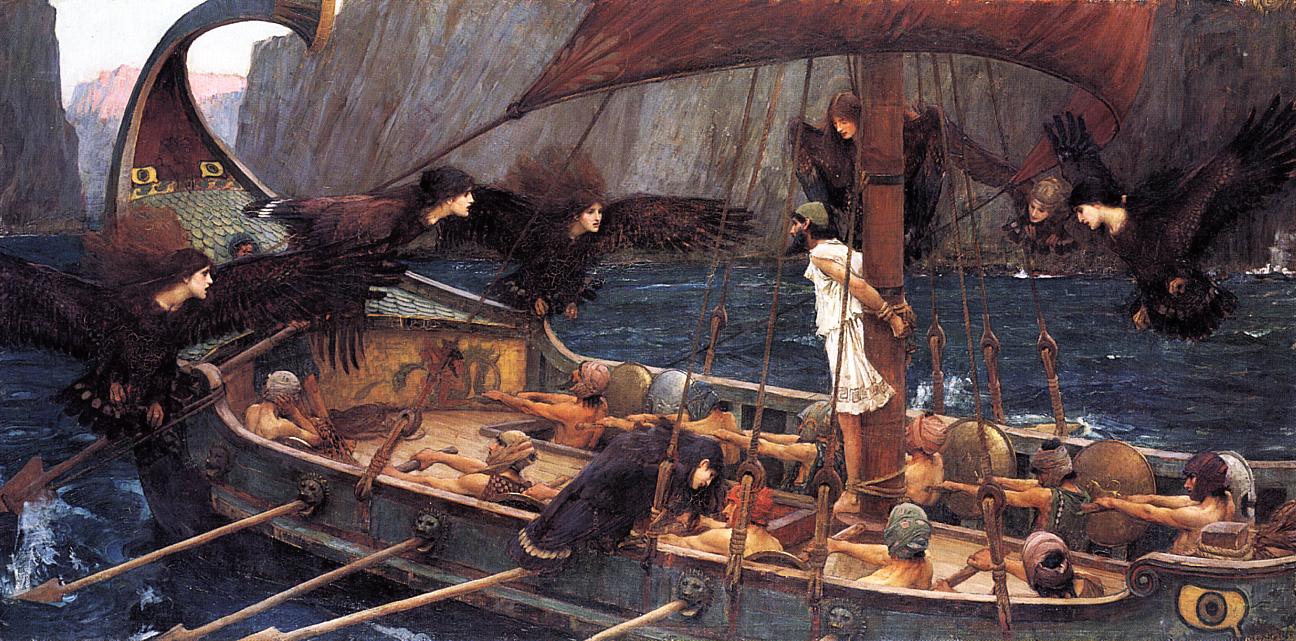
Tie yourself to the mast! Please!

Ulysses and the Sirens, J. W. Waterhouse (1891)

Dive right into coding
(Bc you think data science = coding)
\(\implies\) Spend 75% of your time wrestling with environment issues 😔
Think about + set up environment before diving into coding \(\implies\) Spend 25% of your time wrestling with environment issues 😎

If You Were Just Coding in Python

  • GUI wrapper around Python (IDE)
  • Run blocks of Python code (from .ipynb)

The Python Language

  • Programming language
  • python <script>.py

Python-On-Its-Own Demonstration

  • Environment! Create a bootcamp-w06 folder, and open this folder in VSCode!

  • Create a hello.py file, with the following content:

    hello.py
    print("Hello from Python!")
  • Now open Terminal (in VSCode: Right click in Explorer panel → “Open in Integrated Terminal”) and execute

    python hello.py
  • You should see the following output:

    Hello from Python!

Python-Within-Jupyter Demo

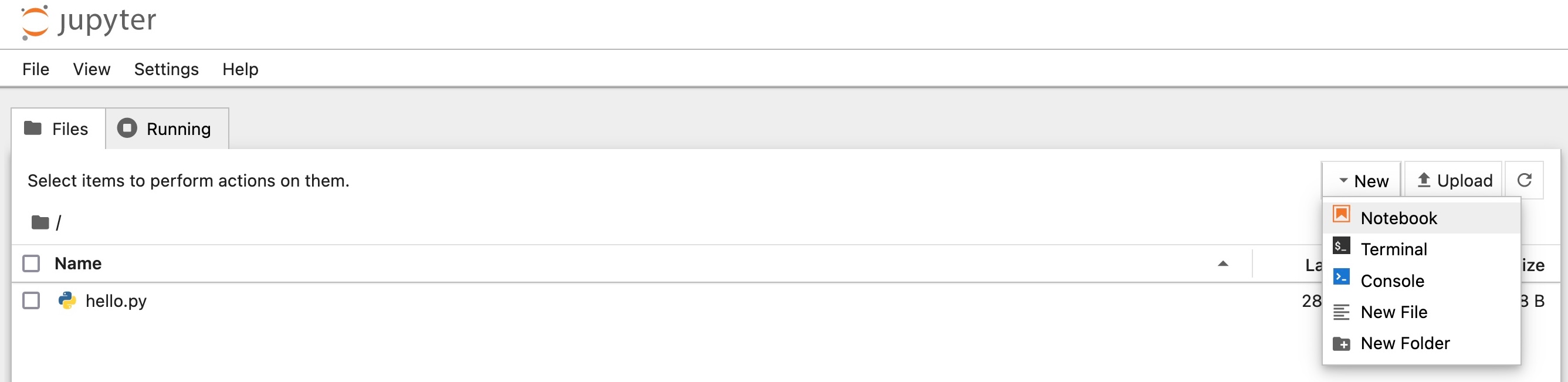
  • Still within the Integrated Terminal, type jupyter and press Enter…
  • (If Python is correctly set up and Jupyter has been correctly installed) You’ll see an interface allowing you to create Notebooks

Jupyter Notebooks (.ipynb Files)

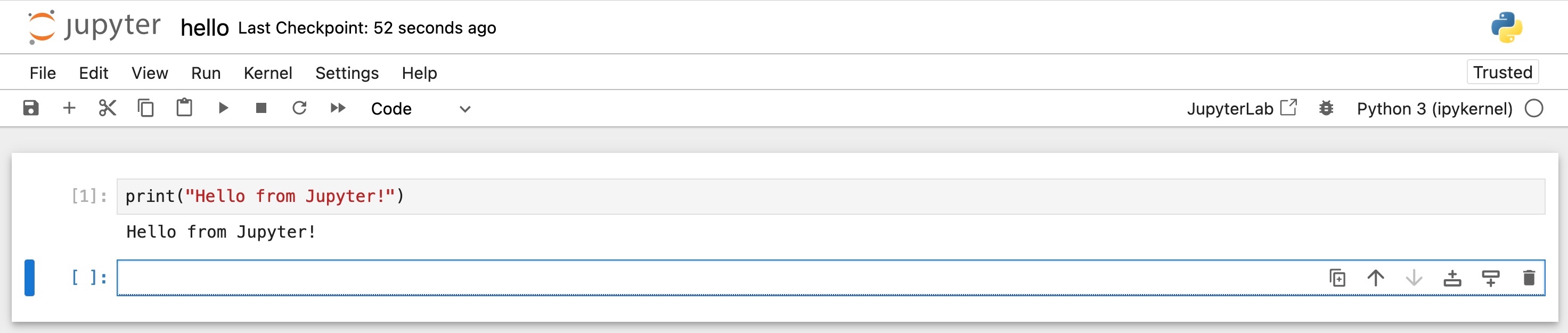
  • You saw these in more detail during Python section!
  • All you need to remember here is: this is a wrapper around the core python executable: all it does is
    1. Takes the code you enter into a cell
    2. Runs it using python <temporary file>.py
    3. Stores the output within the .ipynb file itself

(Make sure to terminate Jupyter using once you’re done using it!)

If You Were Just Coding in R

  • GUI wrapper around R (Integrated Development Environment = IDE)
  • Run blocks of R code (from .Rmd)

The R Language

  • Programming language
  • Rscript <script>.r

R-On-Its-Own Demonstration

  • Create a hello.r file, with the following content:

    hello.r
    print("Hello from R!")
  • Now open Terminal (in VSCode: Right click in Explorer panel → “Open in Integrated Terminal”) and execute

    Rscript hello.r
  • You should see the following output:

    [1] "Hello from R!"
  • (Plz notice the similarity with Python!)

R-in-RStudio Demonstration

  • Similarly to Jupyter, you can think of RStudio as a fancy “wrapper” around R (an IDE)
  • You can (probably should) install RStudio locally, BUT…
  • I want to instead use this as an opportunity to introduce you to Posit.Cloud!
  • The resources provided by the free account will be sufficient for any assignments/projects in my sections! (The Jeff Guarantee™)

R Markdown (.rmd) Files

  • (Warning: Soon to be obsolete! Replaced by very similar .qmd, Quarto Markdown 😉)

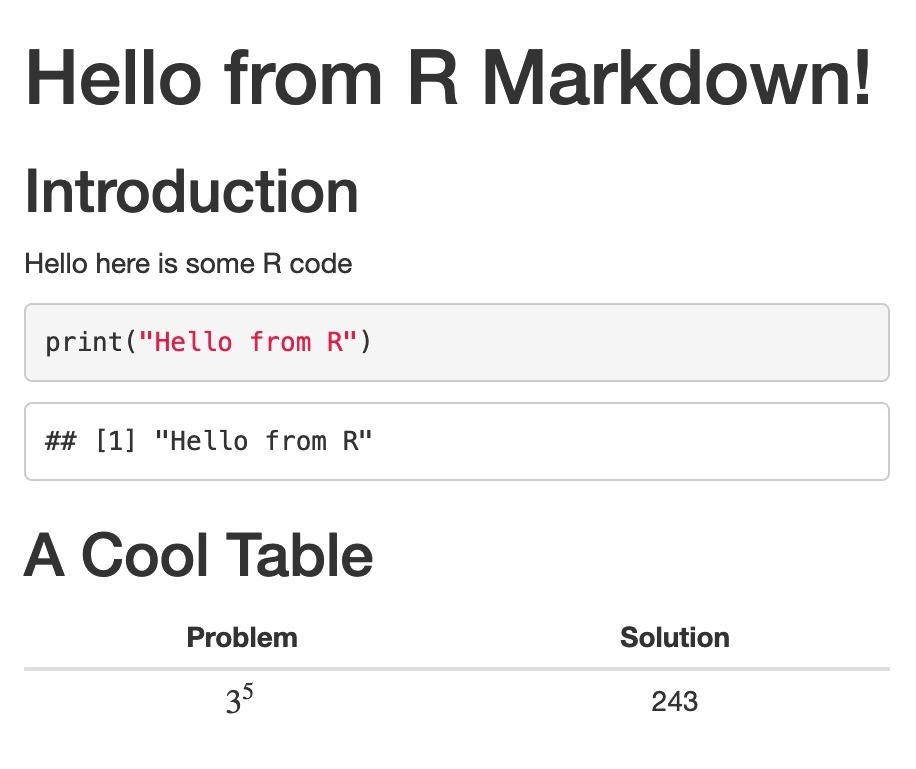
  • Choose “New Blank File” → “R Markdown…” (in the Files Pane, bottom right of RStudio) to create hello.Rmd:

    hello.Rmd
    ---
    title: "Hello from R Markdown!"
    ---
    
    ## Introduction
    
    Hello here is some R code
    
    ```{r}
    print("Hello from R")
    ```
    
    ## A Cool Table
    
    | Problem | Solution |
    |:-:|:-:|
    | $3^5$ | 243 |
    

    →

Rewiring Your Brain for Data Science

Python or R ❌😪
Python AND R ✅😎

Literate Programming = Transparent Science!

  • Academic papers, video demonstrations, etc., can hide more than they reveal
  • Given a plot in some paper… How do we know they didn’t just “tweak” the settings, for hours on end, to produce the result they wanted? (\(\neq\) ethical science)
  • One answer: if they provide the code that produced the figure, then we can interrogate their settings/choices, and change them, to see if the result still holds!

Markdown + R + Python \(\rightarrow\) Quarto

  • Markdown is basically glorified plaintext: text+basic formatting (bold, italics, headings, links, tables)
  • R is just a program that lives on your computer and executes R code
  • Python is just a program that lives on your computer and executes Python code
  • Quarto is a wrapper around R and Python, allowing you to write .qmd (Quarto MarkDown) files: Markdown documents containing R and Python code!

Quarto Building Blocks

  • GUI wrapper around R (Integrated Development Environment = IDE)
  • Run blocks of R code (from .Rmd)

The R Language

  • Programming language
  • Rscript <script>.r

+

  • GUI wrapper around Python (IDE)
  • Run blocks of Python code (from .ipynb)

The Python Language

  • Programming language
  • python <script>.py

Reproducibility and Literate Programming

  • Reproducible document: includes both the content (text, tables, figures) and the code that generated it
    • tldr: If you’re copying-and-pasting results from your code output to your results document, a red flag should go off in your head!
  • Literate programming: Human-readable explanations are included alongside code, within a single document.

R in Quarto

So… What is R?

  • Python was created mainly for software engineers
    • Statistical computing functionality requires 3rd-party imports: NumPy, SciPy, scikit-learn
  • R was created mainly for statisticians
    • Software engineering functionality often requires 3rd-party libraries: e.g., purrr (for Python-style lambda functions)
  • One key implication for DSAN: probability distributions (Normal, Binomial, etc.) are built into R! (Available through NumPy in Python)

Probability Distribution Example

Don’t worry about the details of the code for now! Just note how…

rbinom() is built into R, whereas

set.seed(1234)
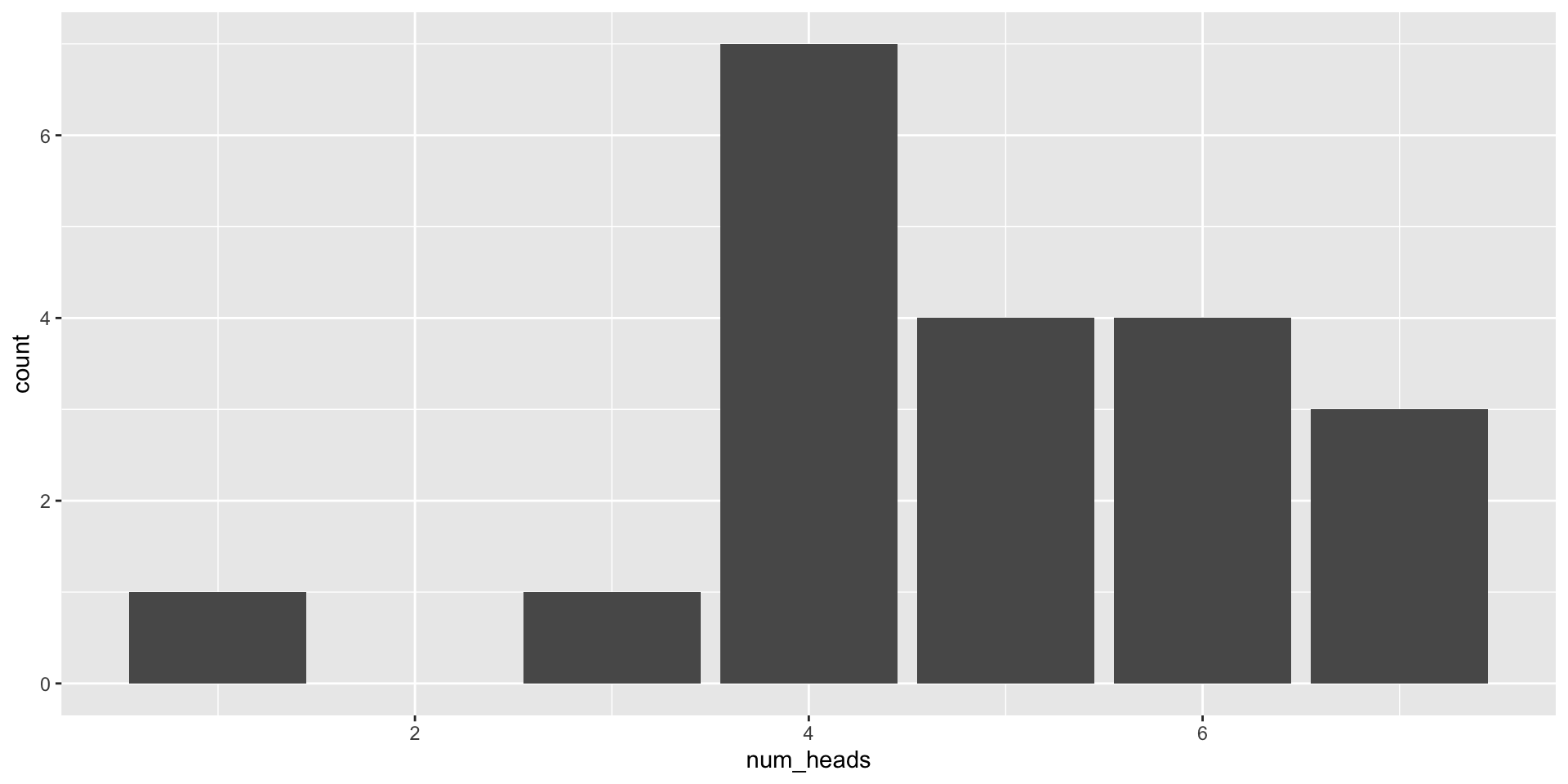
coin_results <- rbinom(n=20, size=10, prob=0.5)
print(coin_results)
 [1] 3 5 5 6 7 6 1 4 6 5 6 5 4 7 4 7 4 4 4 4
class(coin_results)
[1] "integer"
Code
library(tidyverse)
coin_flip_df <- tibble(num_heads = coin_results)
ggplot(coin_flip_df, aes(x=num_heads)) +
  geom_bar()

rng.binomial() requires NumPy

import numpy as np
rng = np.random.default_rng(seed=1234)
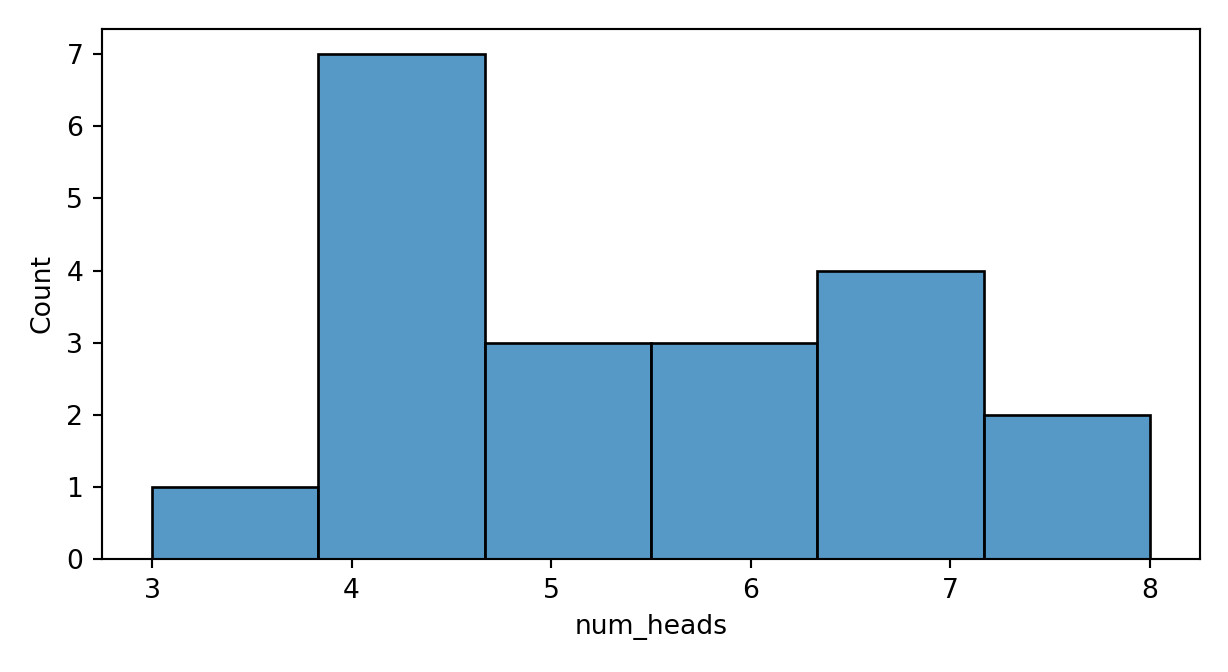
ten_coin_results = rng.binomial(n=10, p=0.5, size=20)
print(ten_coin_results)
[8 5 7 4 4 3 4 4 8 4 5 5 7 7 6 6 6 4 4 7]
type(ten_coin_results)
<class 'numpy.ndarray'>
Code
import pandas as pd
import matplotlib.pyplot as plt
import seaborn as sns
result_plot = plt.figure()
result_plot.set_figheight(3.5)
coin_flip_df = pd.DataFrame({'num_heads': ten_coin_results})
result_plot = sns.histplot(data=coin_flip_df, x='num_heads')
plt.tight_layout()
plt.show()

The Moment You’ve Been Waiting For 🤯

  • How did I include both R and Python code (and its outputs) in the previous slide?

  • Quarto allows integration of R+Python via code blocks!

    my_file.qmd
    ```{python}
    print("Hello from Python!")
    ```
    
    ```{r}
    print("Hello from R!")
    ```

    →

    Hello from Python!
    
    Hello from R!

The Takeaway: Python and R

  • Quarto enables switching from Python to R at any point!
  • So, as we start on our R journey, try to identify its strengths and weaknesses relative to Python
  • Given a particular task—web scraping, data cleaning, exploratory data analysis, training a machine learning model, etc.—learn how to do it in both Python and R, then evaluate which one “clicks” more with you
  • (In other words, my ask: if you already know how to do something in Python, pls be open to learning it in R as well! You might find it’s easier—try your best to consciously avoid getting “locked into” one language)